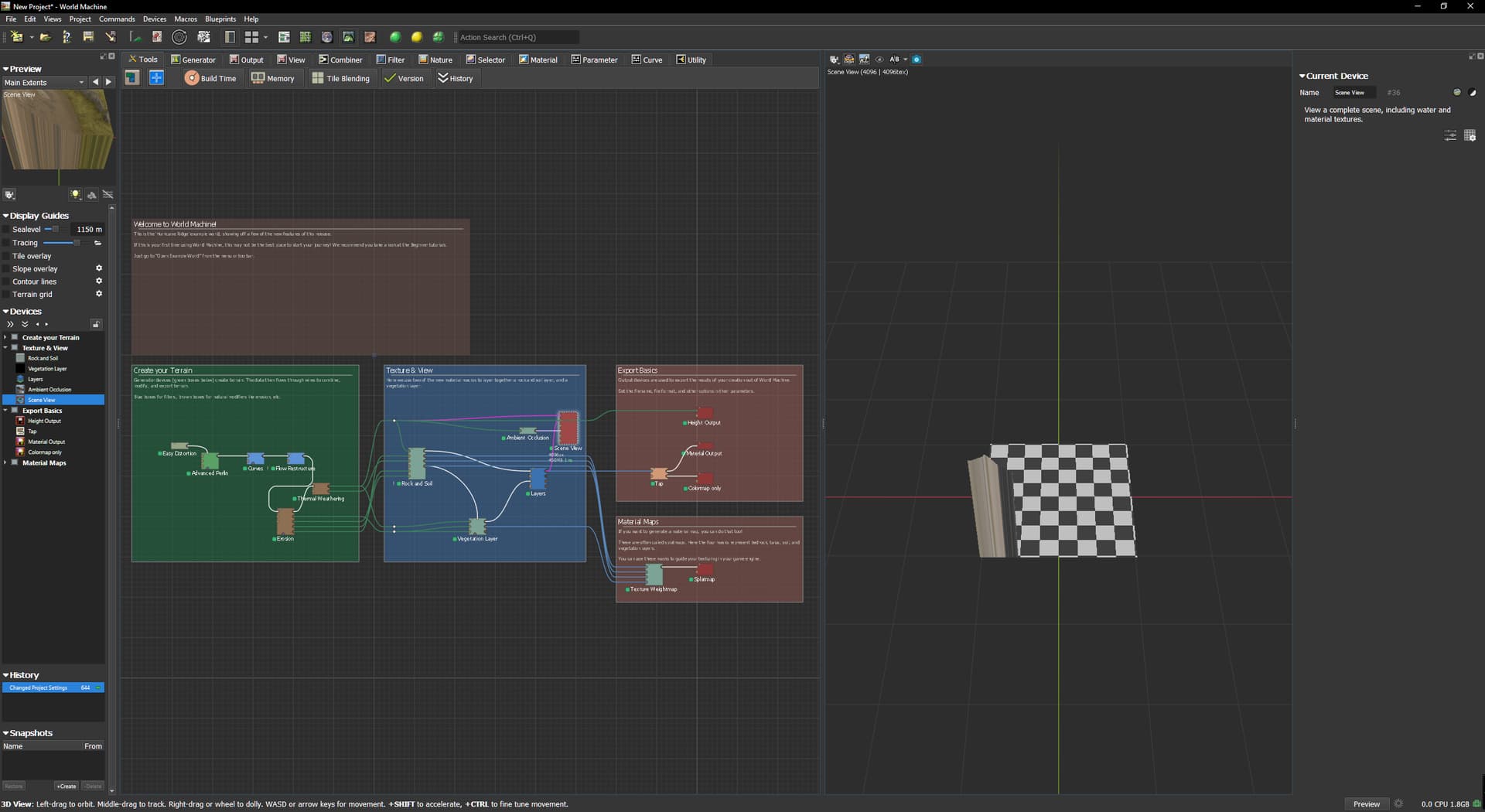
1 Open WM
2 press shift+F6
3 It will look like this
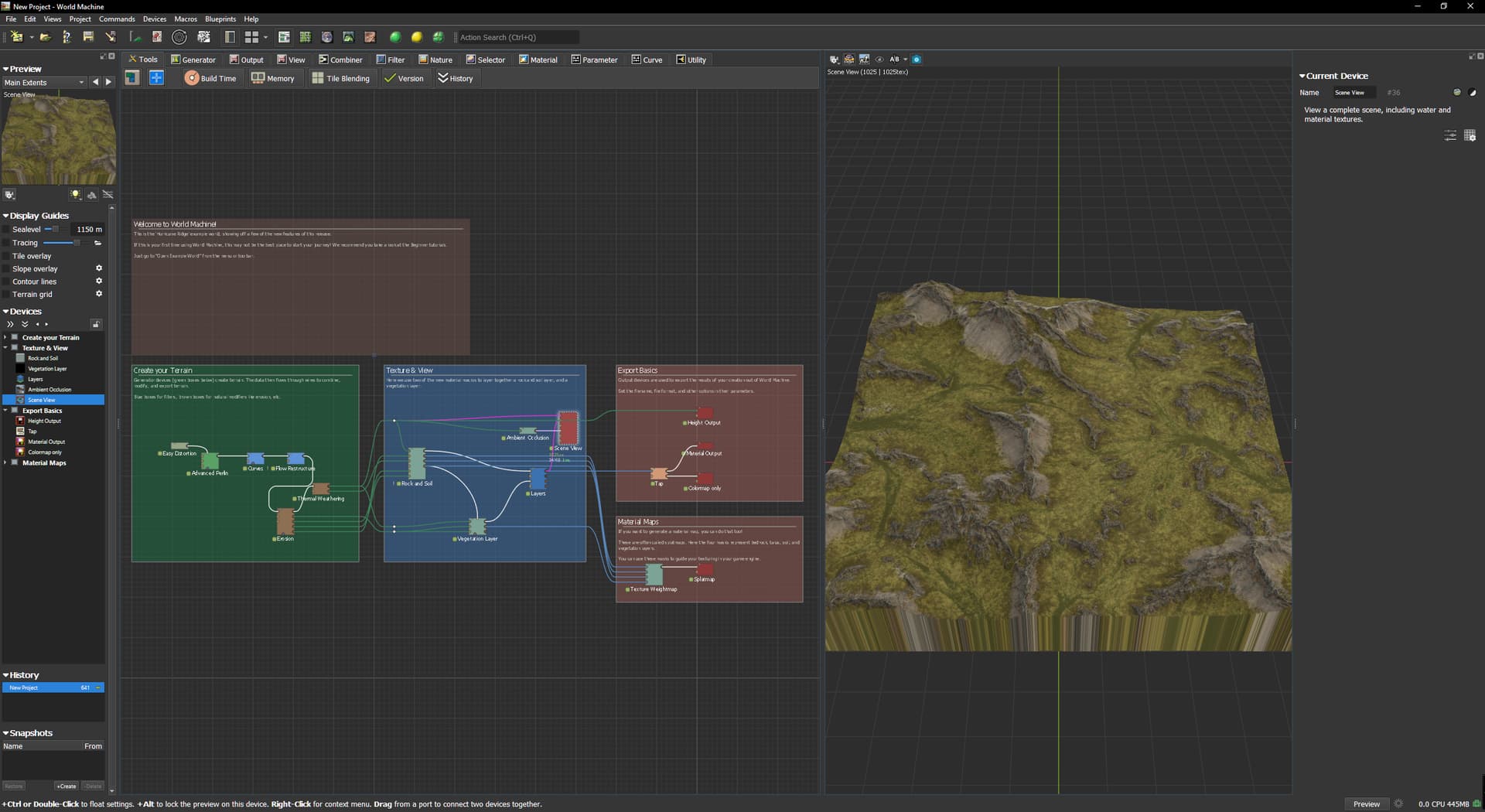
4 Open project settings and change settings to this
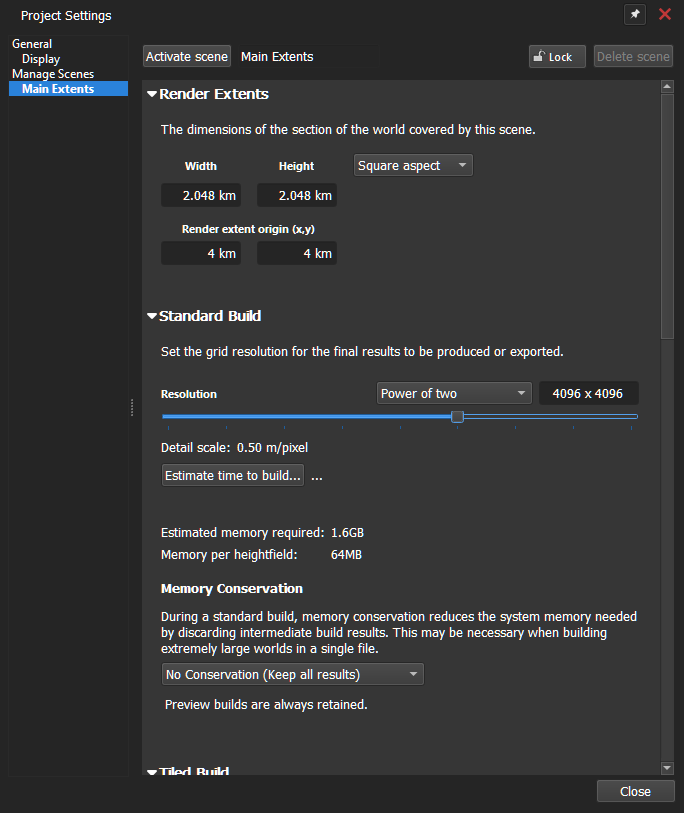
5 press Build world
now Scene view is checker pattern
1 Open WM
2 press shift+F6
3 It will look like this
4 Open project settings and change settings to this
5 press Build world
now Scene view is checker pattern
same situation
most of bugs that i currently have - is just visual errors
i dont know how to write about them, because even can not re-produce them
as i guess it is all due to new AVX system maybe
usually relaod of program helps me to fix any visual bugs
This checker pattern appears evertime I do exatly as I described.
I dont know if it is me or anyone else can re-produces my post.
Can you re-produce what I posted…? It would help If you could confirm my post?