4050 - Issues with specific export data

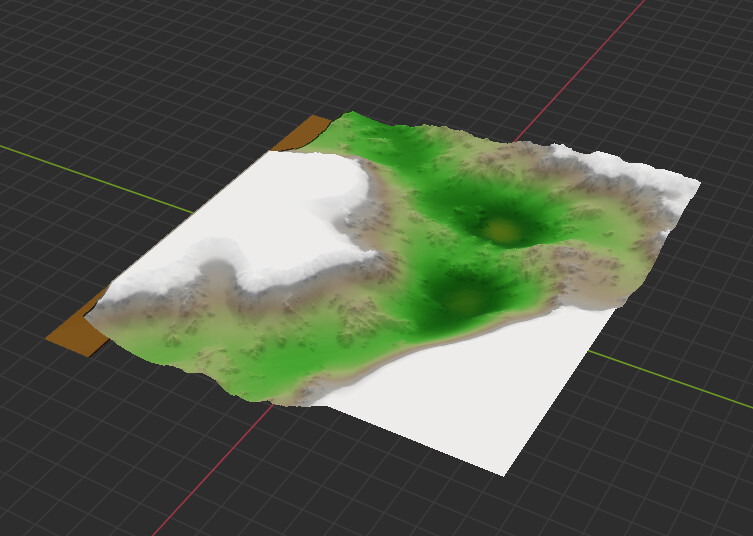
When I export a .raw file from WorldMachine, I have been testing a plugin I am making for a game engine and noticed some really weird issues. At first I thought It was me, but they go through the same code paths, and they exported through the same WorldMachine graph (Just at different project resolutions). I am utilizing Power of Two plus One, and an issue crops up with 2049 resolution. It appears it 0’s out the top of the output when exported.

I am not sure if it affects others, I will add them here as I discover any.

I reimported the .raw files through the File Input device. Just to clarify, the issue shows up in game engines, too, so I would think it involves the output (Not the File Input).

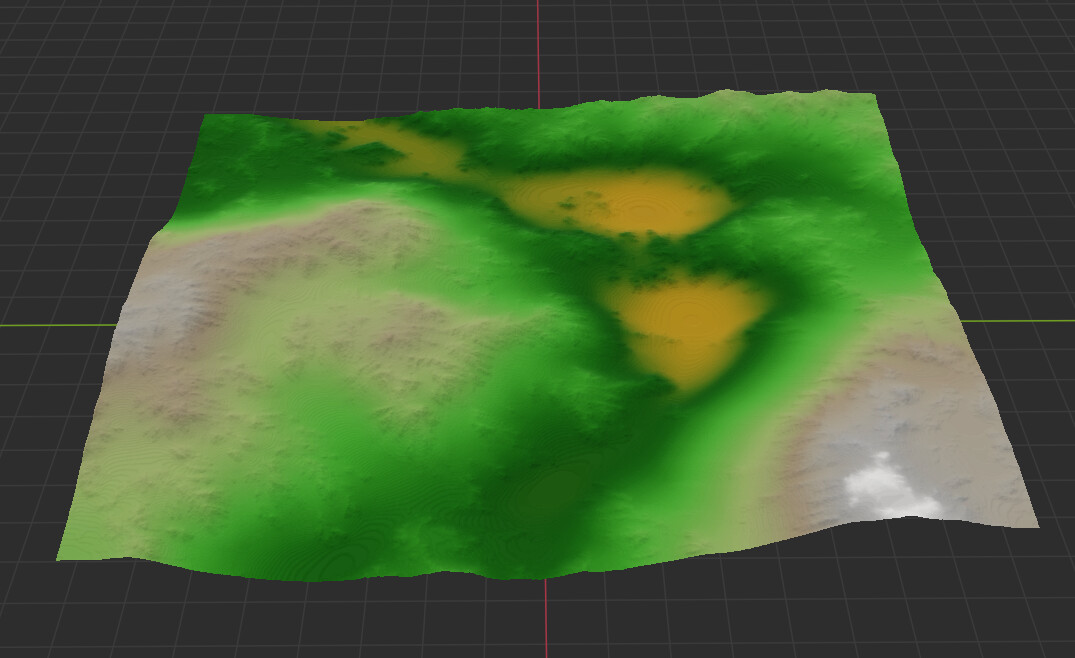
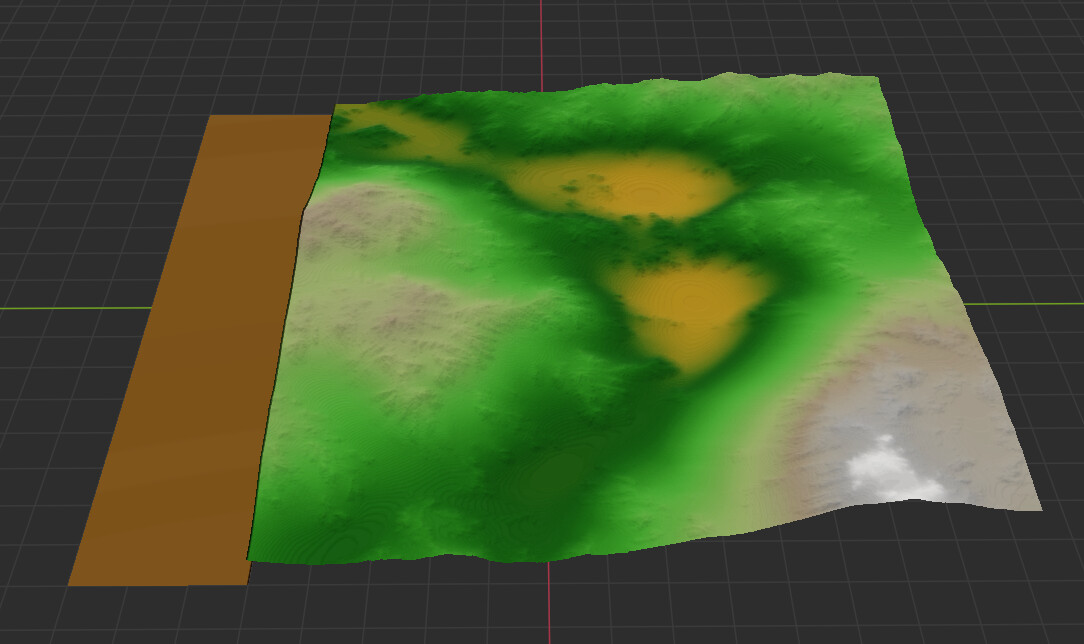
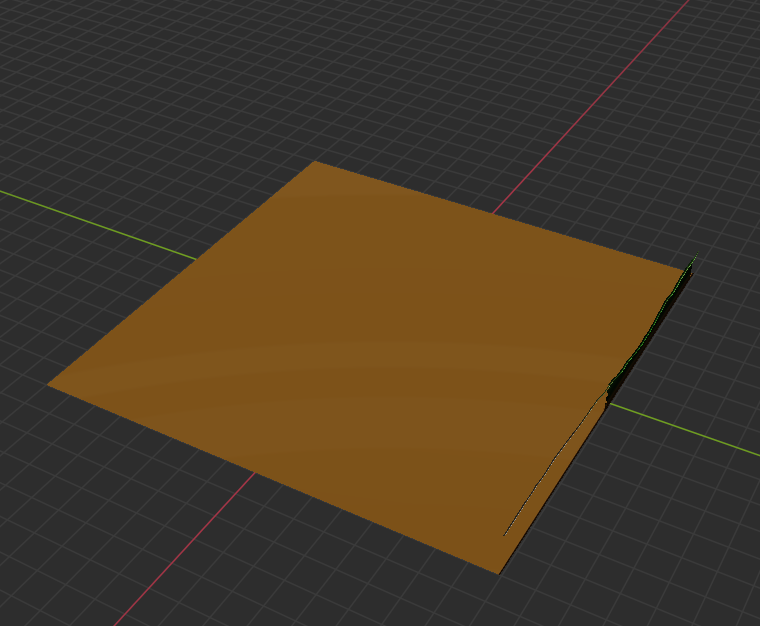
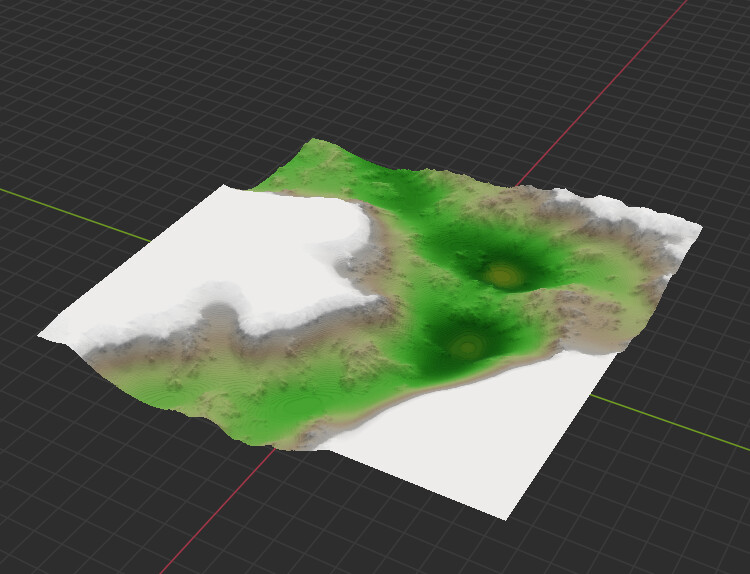
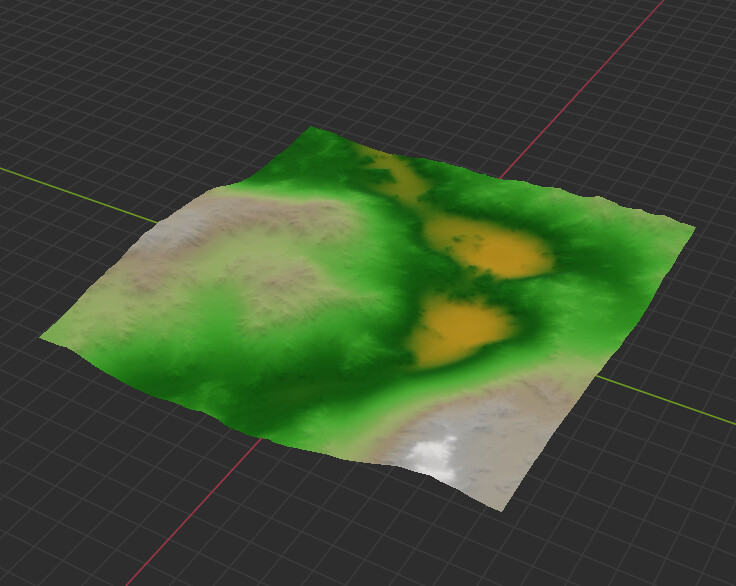
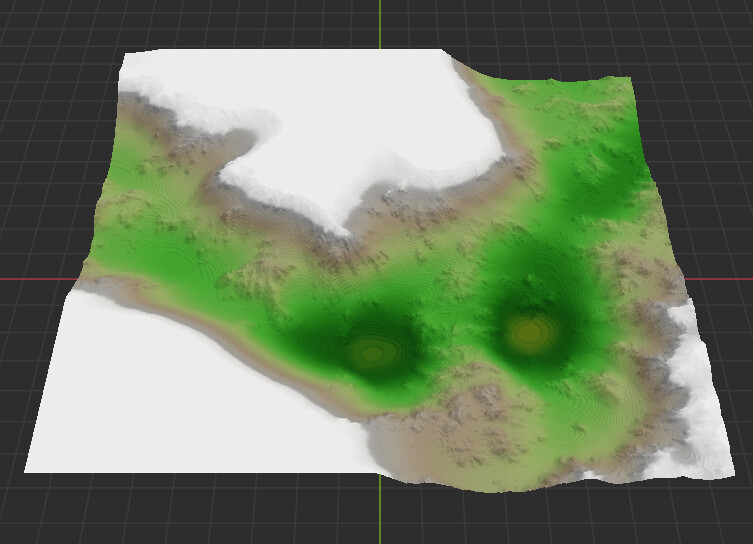
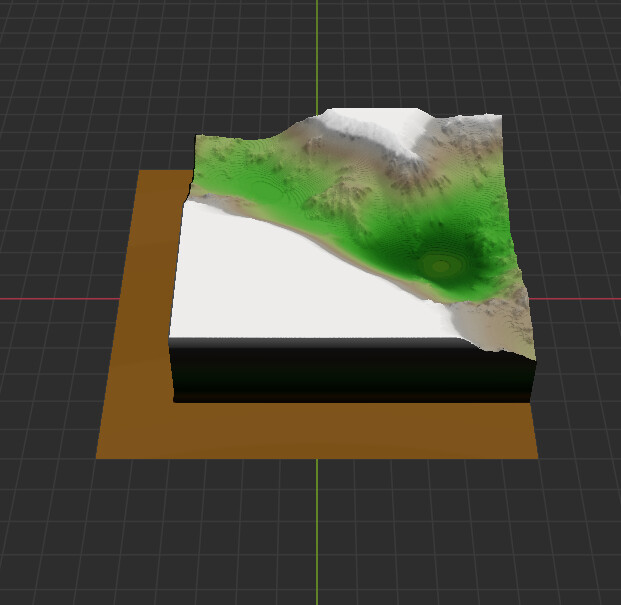
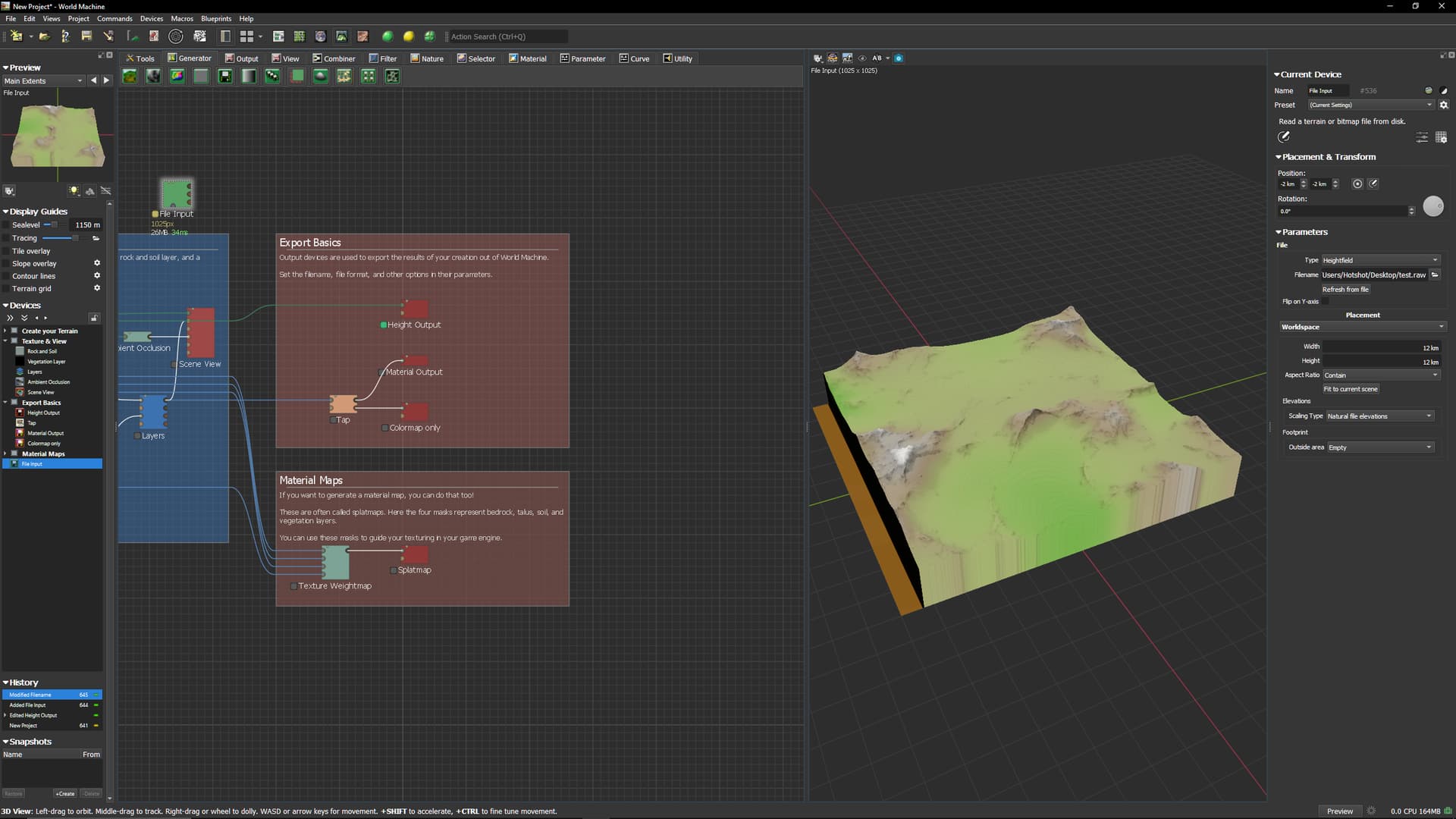
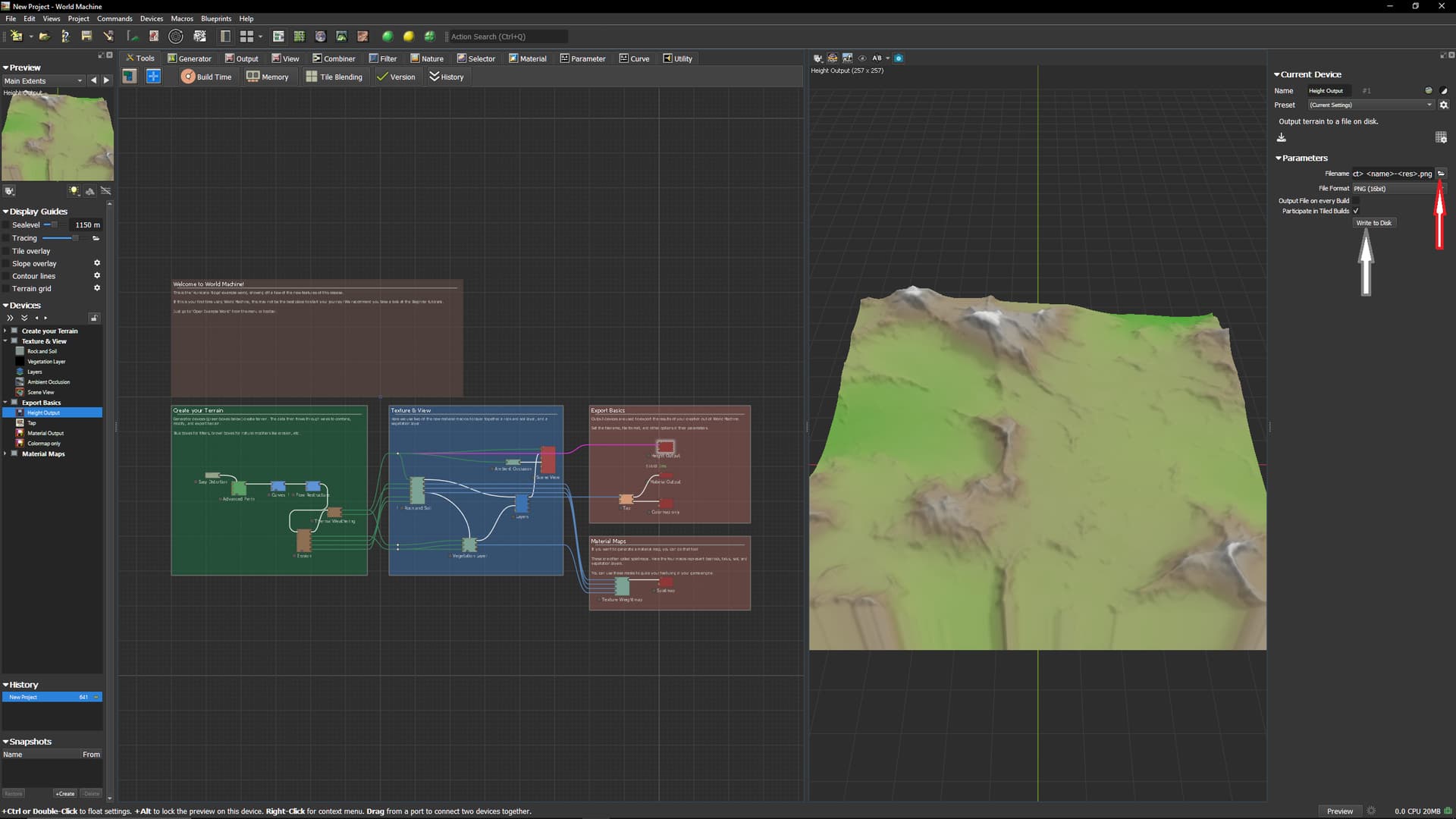
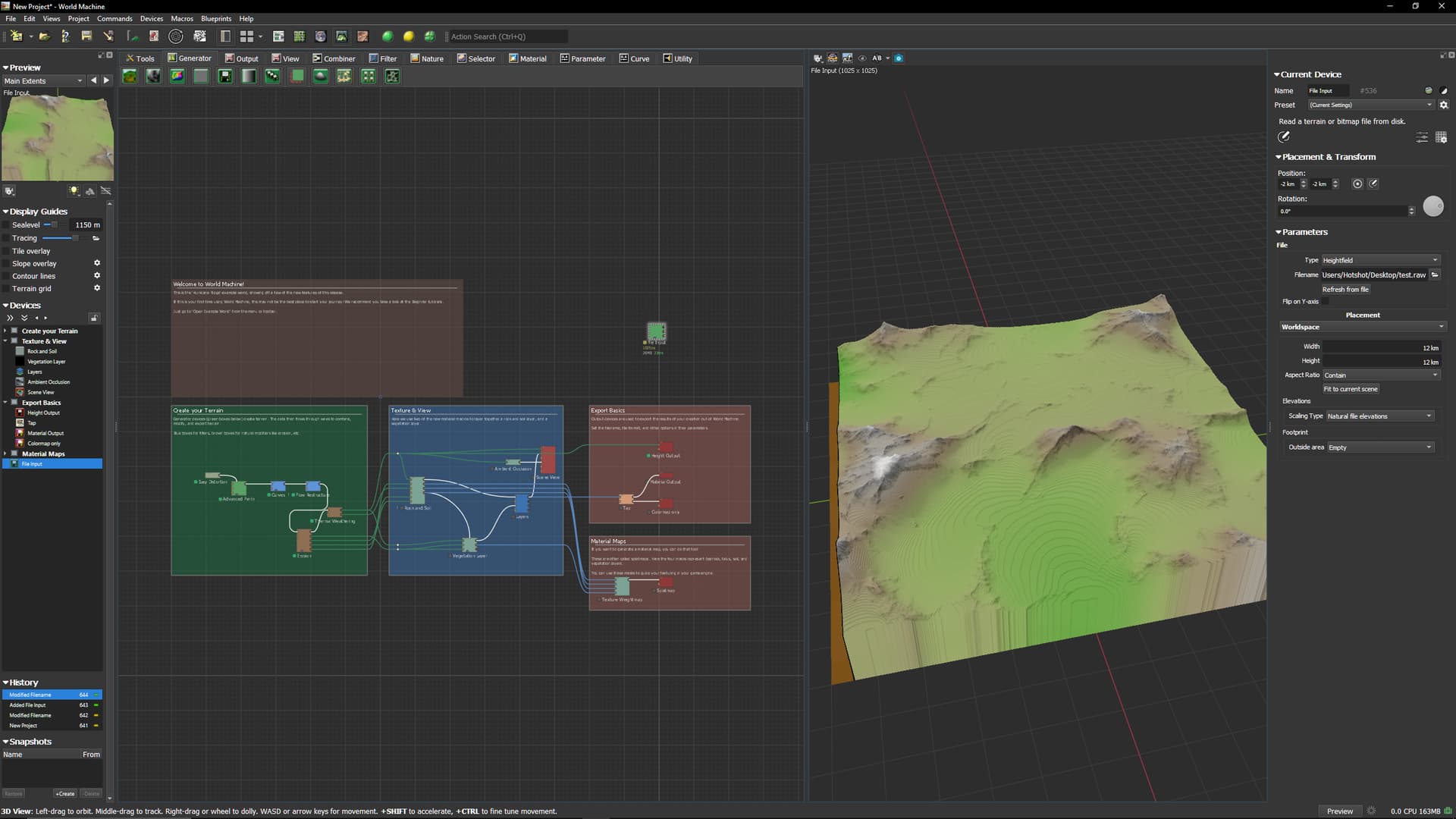
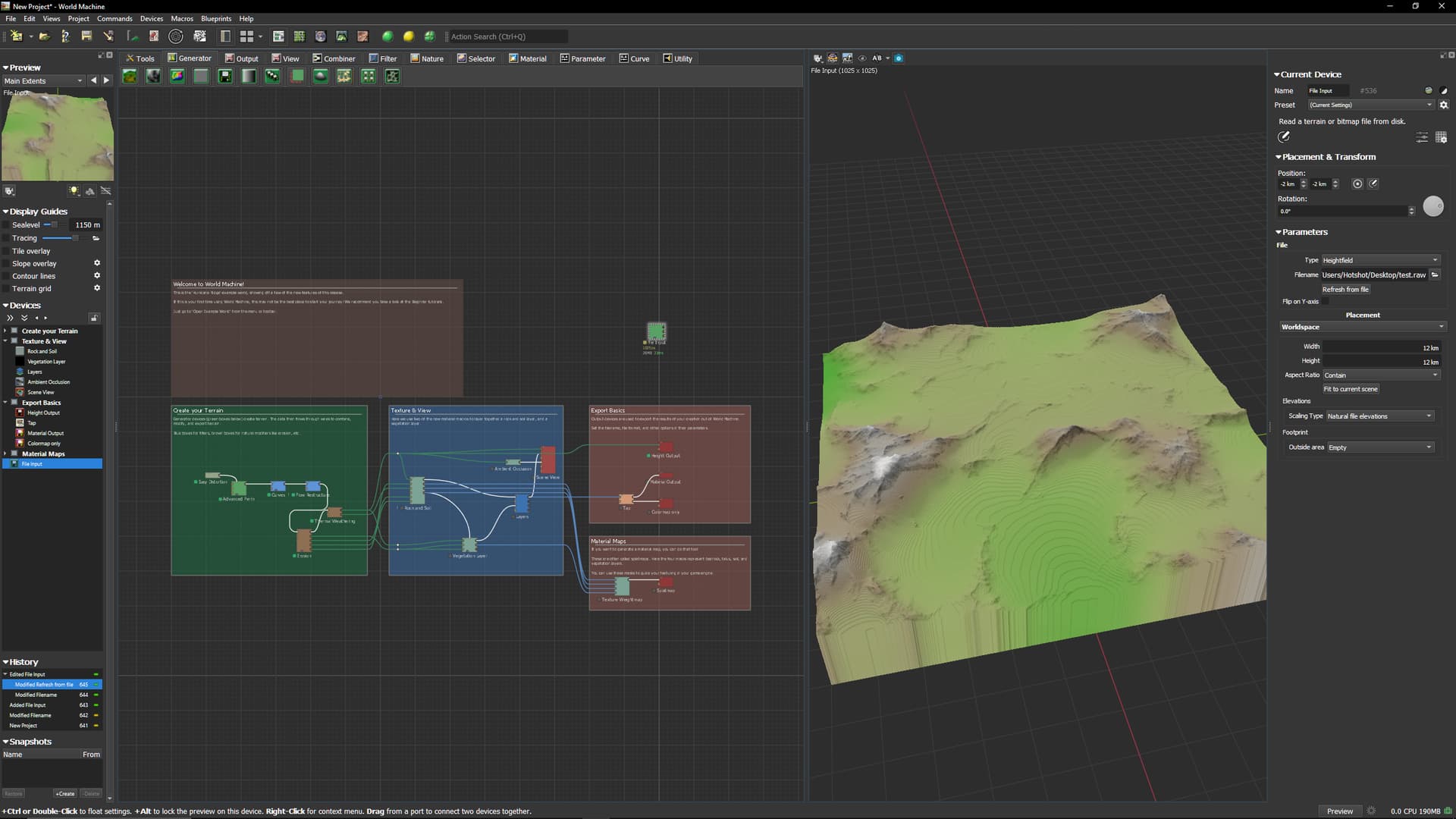
1025 and 4097 look identical. 2049 breaks. Here are some screenshots (I rotated the output in the editor so it was easier to see the issue) that show what I mean:

1025 (.raw):

2049 (.raw):

4097 (.raw):

1 Like

Is this specific to the RAW format and file output device?

In other words, within WM when you click on the File Output device, do you see a missing section at 2049, or does it look fine? If you export to a different format (PNG or TIFF for example), does it export everything or not?

1 Like

One other thing - are your extents exactly square? RAW doesn’t embed any header information, so the format assumes a square input as that is the only easily calculable sizing scenario.

1 Like

So I tried PNG, as well, and it is present there, too. It is actually worse in PNG (8 Bit). Image provided:

This is the 2049 in PNG format. 1025 and 4097 were, like before, perfectly fine.

  • When I click on the File Output device it looks fine (RAW and PNG).
  • When I export it and load it into a File Import device it is broken. (See above)
  • Extents are perfectly square (It also only impacts 2049).

I had to implement my own version of reading in RAW format for a custom resource loader in Godot 4.5 and had to assume square, as well! I have been through this pain today, myself, haha.

Based on this, it has to be something in the process of exporting it since it looks fine everywhere along the graph (Including the File Output device). I have to think the File Input device itself is fine, as well, as I get the exact same results at all resolutions through my own resource loader (It is what got me digging into this further).

1 Like

Very bizarre. I just tried to replicate this locally and cannot - do you have a TMD file you can share that consistently produces this error?

My first thought, since the error isn’t present before file export, is that this might be a filesystem related issue - it looks like the last Y axis rows aren’t getting written. Do you have antivirus software active or something else that could be interfering with the write?

1 Like

Sure. I just had to get it back to a consistent state not to confuse you with it (I butchered it testing, haha). I switched to 16 Bit and it had the same issue, just lesser (Less distance on the 0’ed out portions).

It also exports with the top 0’ed out (Preview in Windows Explorer):

WM_HM_Tester.tmd (148.0 KB)

I left the FileInput Devices in there with no paths so you can test with them in place. Output directories might need adjusting (Nests under “out”).

1 Like

@Stephen So I did update the project and now the 16 Bit PNG is… interesting:

Vs the 8 Bit PNG:

Another Update: I really do not know what is going on here, haha. 8 Bit PNG:

This is the File Output device (When selected), so the output is not matching what is seen:

So it is still present in that tmd file, for sure. I restarted after updating the project and it is back again, but now with crazy scale on the height values. I think the “mostly cleared out” one was my fault, as I ran the build with PNG 8-Bit and PNG 16-Bit… both on an “export with each build” toggle turned on, so I wonder if they were competing for output.

1 Like

The file you posted works fine here. I strongly suspect some kind of ilesystem issues - try writing the file with a different name to a different folder and see if it exports OK.

1 Like

Yeah, I really have no clue what is going on here. So I deleted the files, and added 3 more File Outputs.

I gave batch 1 the following for path/filenames:

  • out/filename.raw
  • out/heightmap.raw
  • out/heightmap_.raw

I gave batch 2 the following for path/filenames:

  • filename.raw
  • heightmap.raw
  • heightmap_.raw

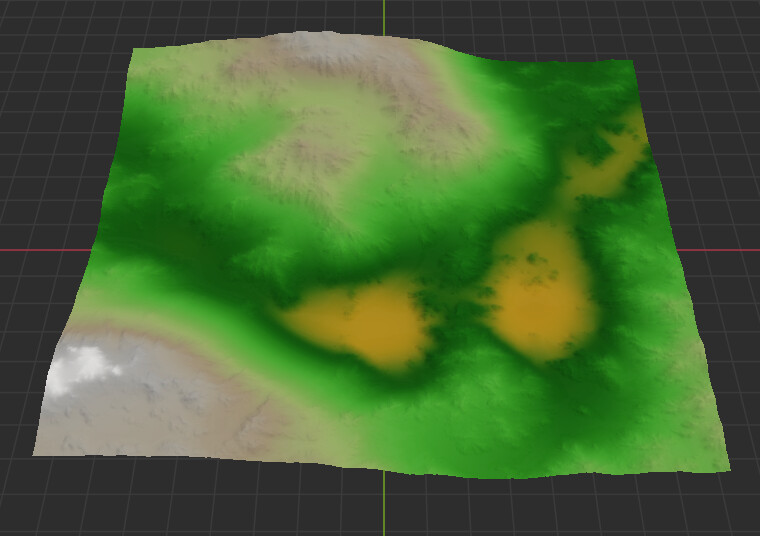
And… well… the 0’ed out sections are no longer 0’ed out, but they all show the awkward heightmap scaling on import:

Expected vs Result:

(I am learning a LOT about uploading images here, by the way! I will clean up my other ones, too, haha)

I will try making a new project entirely and see if it is just something involving that.

New Project, haha:

I am at a loss, haha. I will restart my computer to see if it continues, as even fresh projects are doing it.

1 Like

Updated drivers and restarted PC. Still get the weird behavior in World Machine for heightmaps exported at 2049. Such an odd thing.

Deleted previous message, as it did not make a difference (Reinstalled WorldMachine 4050 Dev from the Update Center and I still get the same result).

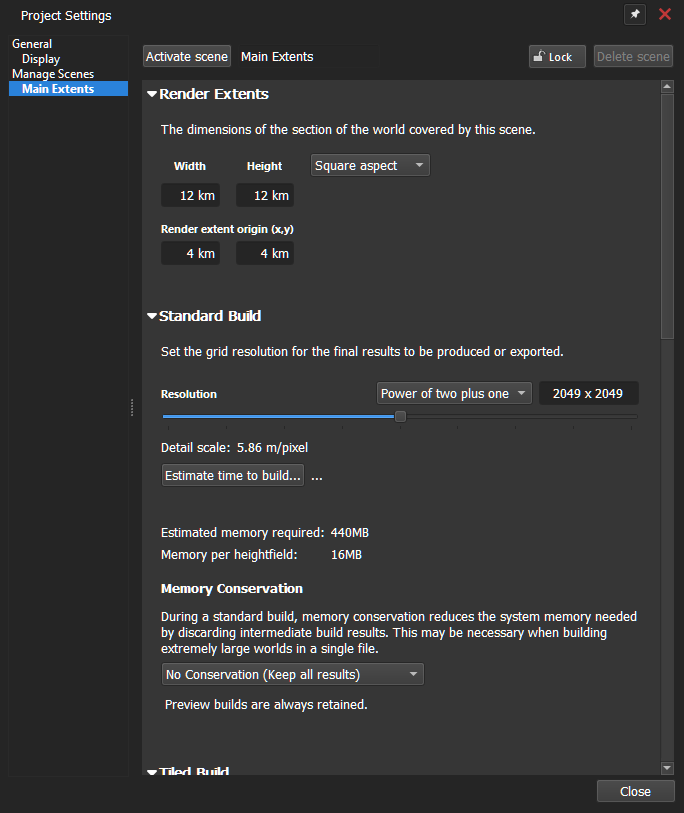
Happens with the Standard 2k resolutions:

  • 2048 (Power of 2)
  • 2049 (Power of 2 plus 1)

But does NOT happen with the UE 2k resolution:

  • 2017 (UE4)

It just does not like the standard 2k resolutions on my end for some reason. I uninstalled WorldMachine, deleted all the application directories, reinstalled WorldMachine.

Laptop I am running into this on:

  • 4080 RTX
  • 64GB RAM
  • 13th Gen Intel Core i9
  • Windows 11

Tried:

  • Running as Administrator
  • Running as non-Administrator
  • Forced the 4080 RTX through the NVidia App
  • Forced the 4080 RTX through Windows
  • I even forced it to use the integrated card (Same result)

Is there a directory I may have missed to delete everything application-wide on the computer to see if there is corruption at that level? I removed:

  • My Documents WM Directory.
  • Program Files WM Directory.
  • Program Files (x86) WM Directory (I think this was from a long ago install).
  • AppData/Roaming WM Directory.

Tried the following WorldMachine Versions:

  • 4049 Stable
  • 4050 Dev
  • 4050 Alpha

Log file shows no errors during building (Just has the Build Start/Build End messages).

And it persists in all of them. I am unsure if it happened in the past, as I usually worked with 1024/1025 and 4096/4097. I ran into it this time because I was testing a plugin I am working on with 1k-8k heightmaps. 2k (Non-UE, apparently) seem to be the problem children on my end. I will keep digging in to see what is going on.

1 Like

WM2050

Loaded WM default with 2049 Power of 2 and exportet file as .raw then import it to wm

I got same result

Can it be a grafic glitch? It looks right in the small windows to the left?

2 Likes

Set up a 1025 output/input like you have the 2049. Then click between them and you should see a subtle loss of “length” at the top in the top left view. The top left is misleading, as the error is at the top and the difference is harder to notice in that one.

1 Like

This is a very weird one. Just to confirm, if you open one one of the files ( a PNG for example) with a file viewer/photoshop, do you see the black band at the top of the file?

2 Likes

That is correct, the file has a black bar at the top of it in image editors, too.

1 Like

One longshot idea - go to Program Settings->Storage and turn off “Allow World Machine to page data to disk”. Does that change anything?

2 Likes

@Stephen So after toggling that, it does seem to have fixed it… maybe. I am going to say “seems” to for now, and I will update if that changes, because once I turn that back on… it is still fixed? Seems odd, but at the same time, it also seems to have the minimum size value defaulted to “2048”, which seems strangely familiar here (haha).

@Hotshot, if you could, please give what Stephen said a try and see if it changes anything for you (Redundant testing can help us validate, at least a little bit more).

1 Like

This one is a “sneaky “one.

Today I could NOT replicate this……..almost. It is a intermittent problem.

So I hade to dive deep to this one….

So you need to to EXACTLY like this to replicate it

Start WM and a default project opens.

Press once on the “Split windows in to four…..”

Click on the node Export Heightmap

Type in a filename.

Then press the write to disk..

Then Import it

Now to fix this you now go back to Heightmap export and press once again on write to file

Then goto import nod again and press refreach from file

now it is correct.

I can not replicate this problem If I press Build World first before I export the Heightmap …………

3 Likes

Yeah, so it looks like it is potentially an issue with “Write to Disk” without clicking the green “Build” button. So I dug in further, myself, and here’s what I found:


PATH 1 (PAGE TO DISK ON, SET TO 2048):

  • New Project.
  • 2048/2049 Resolution. ← 2K
  • Place a Generator device and attach it to a File Output node.
  • Open File Output device, set it to PNG (For easy viewing) and pick a location to save to.
  • Click “Write to Disk”
  • Problem should happen

PATH 2 (PAGE TO DISK ON, SET TO 2048):

  • New Project.
  • 2048/2049 Resolution. ← 2K
  • Place a Generator device and attach it to a File Output node.
  • Open File Output device, set it to PNG (For easy viewing) and pick a location to save to.
  • Press Green “Build” button.
  • No problem should happen.
  • Click “Write to Disk”
  • No problem should happen.

PATH 3 (PAGE TO DISK ON, SET TO 1024):

  • New Project.
    • 1024/1025 Resolution. ← 1K
  • Place a Generator device and attach it to a File Output node.
  • Open File Output device, set it to PNG (For easy viewing) and pick a location to save to.
  • Click “Write to Disk”
  • Problem should happen

PATH 4 (PAGE TO DISK ON, SET TO 1024):

  • New Project.
  • 1024/1025 Resolution. ← 1K
  • Place a Generator device and attach it to a File Output node.
  • Open File Output device, set it to PNG (For easy viewing) and pick a location to save to.
  • Press Green “Build” button.
  • No problem should happen.
  • Click “Write to Disk”
  • No problem should happen.

PATHS 5-8 (PAGE TO DISK OFF):

  • Seems to work fine for all of the above cases.

@Stephen : I would think you are correct with the “Page to Disk”, as this issue seems to impact (Directly) the resolution that is defined as the “Minimum Size” there. Also, @Hotshot seems to be correct with it only happening if you “Write to Disk” without hitting the Green “Build” button first.

If you do not hit the Green “Build” button first, clicking “Write to Disk” kicks off a build. If you do not allow “Paging to Disk”, it would not be writing to the Filesystem (I assume). So with “Page to Disk” on… it is writing to the Filesystem (Also, I assume).

Could it be paging to disk while writing the result? I guess an “Unknown” would be, “Why does it only affect the sizes specified in the Minimum Size”? I also assume it impacts both the Power of Two and the Power of Two Plus One because they share some calculations behind the scenes due to “Similarity”, because UE4 (2017) did not have the issue when “Page to Disk” was set to have a “Minimum Size” of 2048 (Which would make the UE4 one immune, as “Minimum Size” is Power of Two increments).

TL;DR:

  • Seems tied to “Page to Disk” being enabled and the “Minimum Size” (And “Minimum Size” + 1) as the targeted resolutions.
  • Seems to happen when a Build happens at the same time as “Write to Disk”.
    • So clicking the Green “Build” button first mitigates the problem.
    • Clicking “Write to Disk” without clicking "the Green “Build” button has the problem.
      • This can be reproduced, even after clicking the Green “Build” button by switching project resolution, requiring World Machine to do a new build for the output.

NOTES:

  • If you flag the File Output device as “Output file on every build” and hit the Green “Build” button… this issue does NOT come up in the output files. Could it be a “Sequential vs Parallel” situation involving a difference in how:
    • Clicking “Write to Disk” while needing to Build first handles the “Build/Write” behavior is handled.
    • Clicking the Green “Build” button handles the “Build/Write” behavior is handled.
  • This makes me think the Green “Build Button” does things sequentially while the “Write to Disk” button does things in parallel? (Total assumptions here)

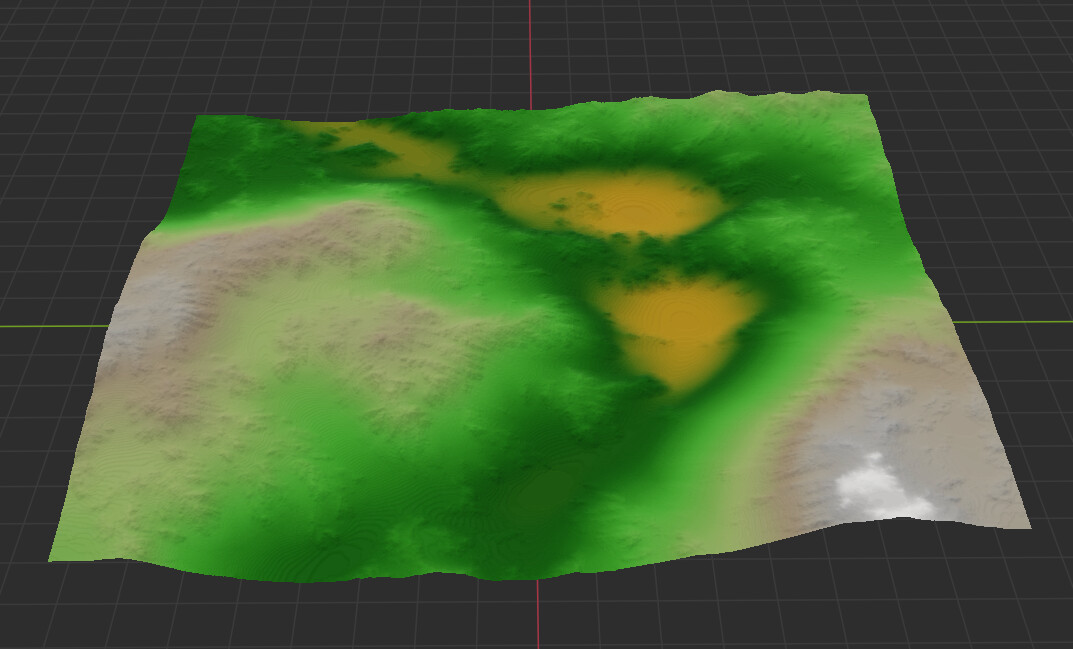
I ask, because Parallel Read/Write could have issues when writing data to Disk while Building that same data. This looks like a typical “Reading Data on Thread A while Writing Data on Thread B” data issue. Maybe one holds the lock on the data (Paging to Disk) while the other gets choked out for X amount of time (Writing the actual data to disk, due to reading the data locked by Paging to Disk and, depending on how that is handled, it could default it to 0 or read it as 0 since that “Build Data” would not have been initialized yet?).

  • I tried the “Tiled Build” option with tiles set to 2048 and… well… you have to click the Green “Tiled Build” button, so I could not test that (Since that is the “Good Path” and Tiled Builds do not rely on the “Output file on every build” path).

I still find it odd that it does not affect larger resolutions, though. That has me confused. Would it not page to Disk similarly on “Larger than Page to Disk Minimum Size” resolutions as it does that “Minimum Size” resolution?
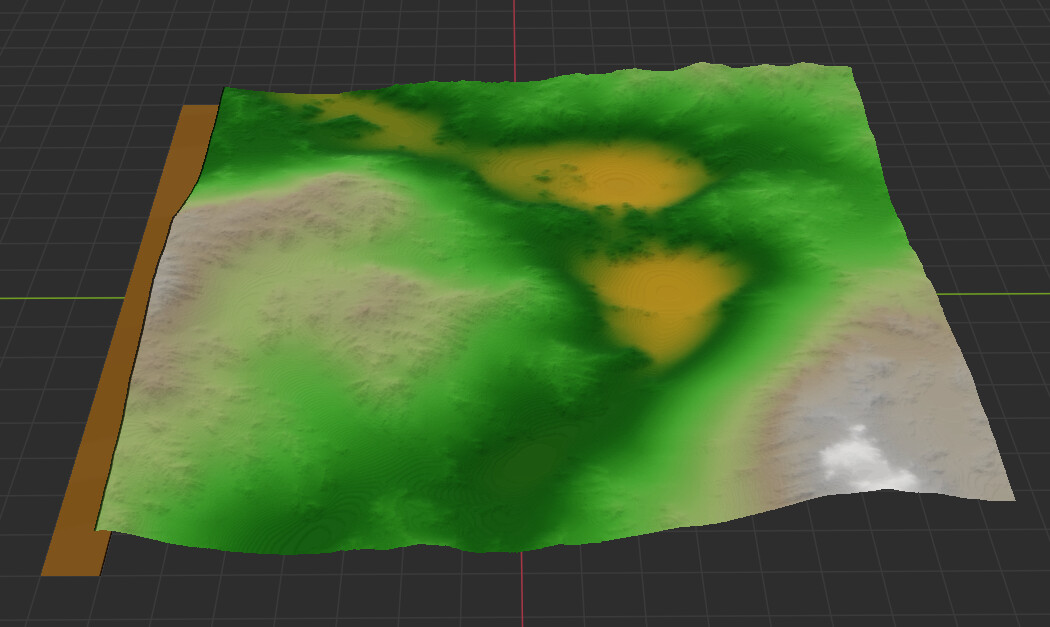
2 Likes

I can not replicate any problem in PATH 3

PATH 3 works fine for me

1 Like

I was just able to repro this here following the steps you guys have deduced above. Thank you for the efforts!

4 Likes