Hi there!
Love the new UI design! But I did notice a few small bugs:
-
Float parameter sliders between 0 and 1 have some issues:
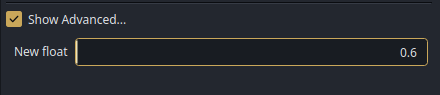
They dont correctly represent the actual value, instead showing the slider at 0 for all values other than 1.0.
They also are not adjustable by dragging, it will just jump around from 0 to 1. Pressing Shift does not allow finer adjustment either, in fact it seems to prevent adjustment altogether.
I think the issue with finer adjustment not working also applies to dragging on all input boxes with values between 0 and 1, even if they do not have a slider.
-
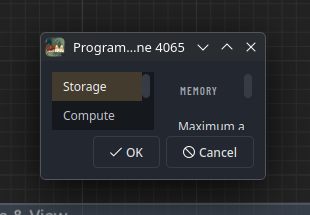
Program settings opens as a tiny window (but can easily be resized).
-
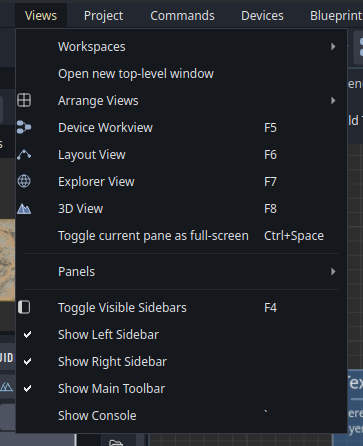
Icons in menus are missing left padding (checkmarks are correct)
-
Parameter ports seem to be cut off (or is it intentional?  )
)
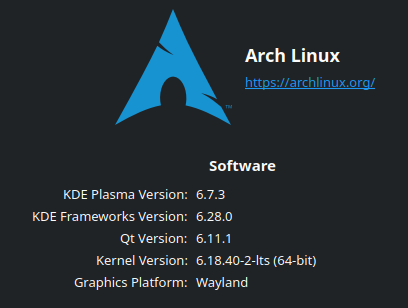
This is on Linux with KDE Plasma on Wayland.
Thanks for the report! I believe these are probably KDE-related issues as they do not exist on other platforms. I’ll see if I can spin up a dev environment to investigate them.
I spun up a linux fedora / PDE plasma desktop, and I can’t seem to replicate the main bugs here - in particular the Program Settings as a small window and float param sliders not working. Can you provide any further details about your setup?
Confirmed the left padding tweak. The parameter ports are intended to be half-circles, just like the ports on the device node itself – I’m continuing to evolve this one as I agree it kind of reads as clipped still instead of intentional. I’m mocking out right now having an actual raised ‘rail’ that it reads against instead of just empty pace to the left.
Thanks for the reports.
Hi! Thanks for looking into it!
It could easily be a quirk on my end, but I’m not entirely sure what might cause it. I set up this machine only about 2 weeks ago, so most settings and configs should still be pretty close to a fresh install:
EDIT: I discovered the cause of the slider issues below 
About the tiny settings window: The issue seems to be only with this specific window, I tried a bunch of others like the project settings and the build dialogs, and they all work perfectly fine. I suspect that the program settings is using a different way to spawn the window than the others because it uses system-level window decorations and doesn’t have the pin button at the top like the others. I also tried launching it via xwayland and it didn’t make a difference, so doesn’t seem to be one of the (many) common Wayland quirks with window management.
I’m happy to provide more info or try anything else to help debug this, if you want to investigate this further!
I found the cause of the slider issue!
Its a locale problem, for some reason. I used:
LC_NUMERIC=C WorldMachine-current-x64.AppImage to launch the app with forced english number formatting (. as a decimal), while my system uses german number formatting by default (, as a decimal) and that fixed the sliders both visually and interactively.
aha! That’s a really helpful finding. I’ll see if I can patch it on this side as well for the future.