Call me OCD, but…
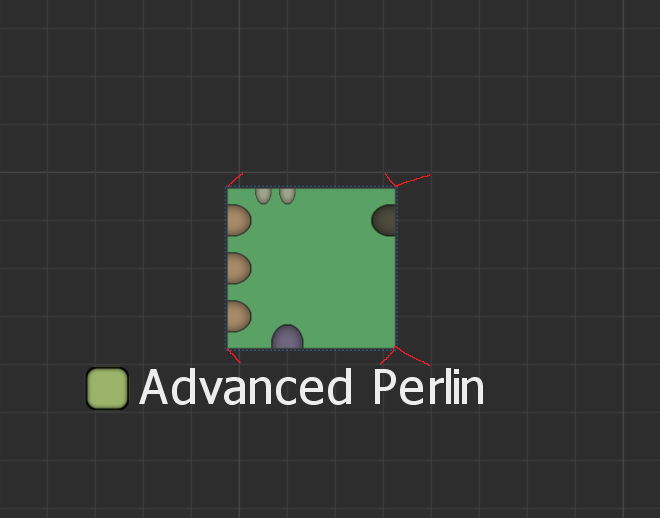
Could we get the devices to snap to the grid lines? Even if it is a toggle in settings or something? I would absolutely prefer proper grid alignment even if it meant using up a little more space.
Example:
The red lines basically mean “Move these corners to here”, with the ones on the right having two options. Minor gripe, haha.
Additionally, maybe allow the grid to be customized? Devices would then snap the the nearest grid line that is the same size or 1 larger than the device’s smallest size to maintain visibility of all ports.
3 Likes
I second this.
That being said, I think the current grid is set up so that the gridlines line up with the inputs/outputs of the devices which is also a nice feature for making clean wire graphs. As a middle ground, rather than changing the grid size/placement, maybe it would be a simple enough matter to adjust the top and bottom padding so that everything lines up, and adjust the Mask input slightly to account?
4 Likes
This would work for me.
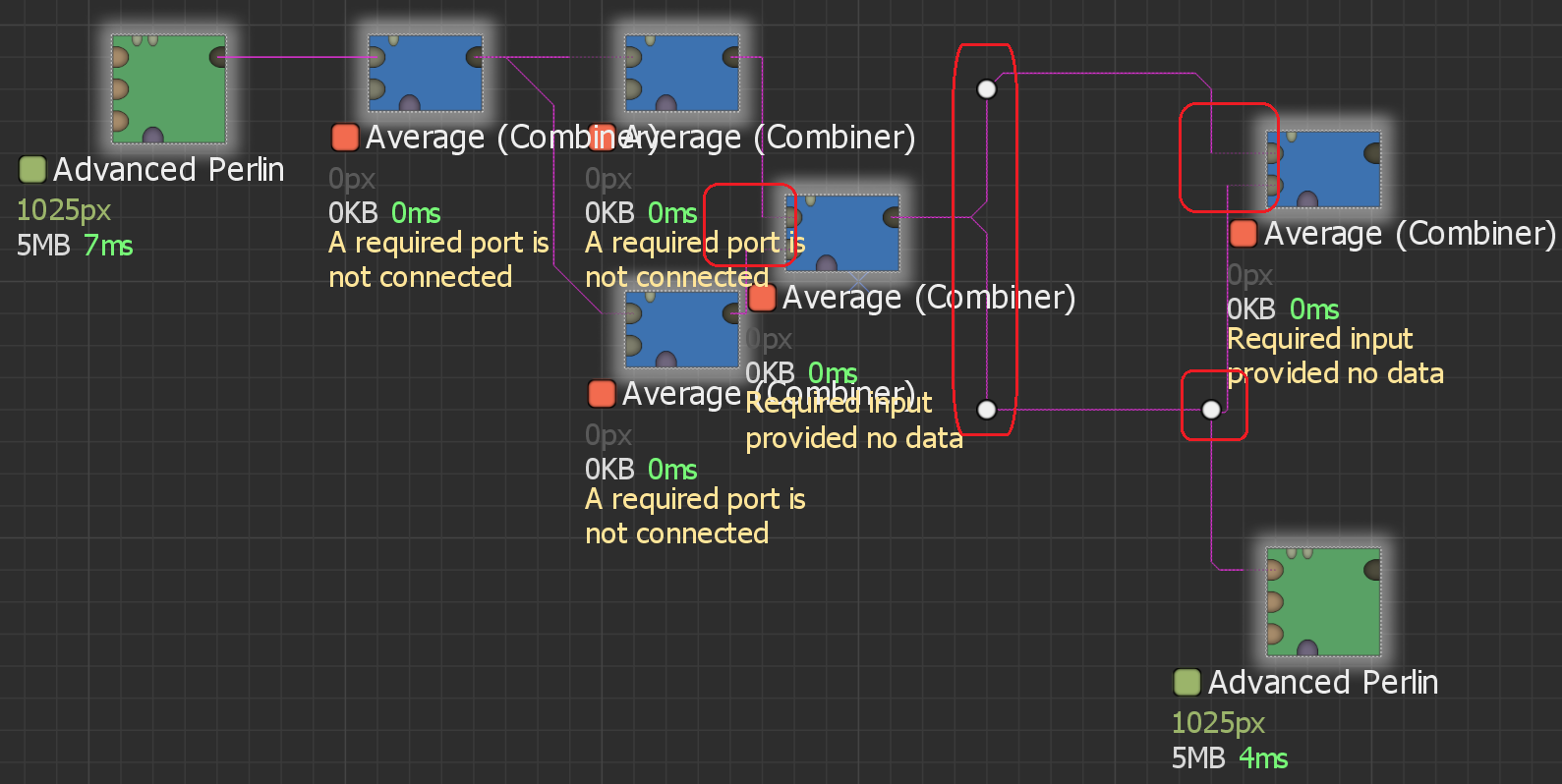
The issue I have with the connections right now is that the way they handle corners can be a bit inconsistent, as well. Disable the line curving to see it (I am very weird with my visuals. I like the sharpness of the lines (I even do this in Unreal) for alignment purposes and a cleaner (to me) look. Unfortunately… you will soon see the issue).
- Far left red box
- (Hard to see with all the text, but I selected everything to make all lines visible in a single screenshot)
- Bottom entry line sticks out further than the top.
- Middle red box
- Top corner is beveled.
- Bottom corner is sharp.
- You cannot currently solve this by moving the points.
- Top will always be beveled.
- Bottom will always be sharp.
- Far right top red box
- Top entry line sticks out further than the bottom.
- See Point 1 for additional inconsistency.
- Far right bottom red box
- Upward connection bevels outward and up.
- Upward connection enters sharp.
- Downward connection is sharp.
- Downward connection enters with a bevel.
ignore the node selection itself. Just dragged and dropped nodes to quickly demonstrate connection inconsistencies.
1 Like