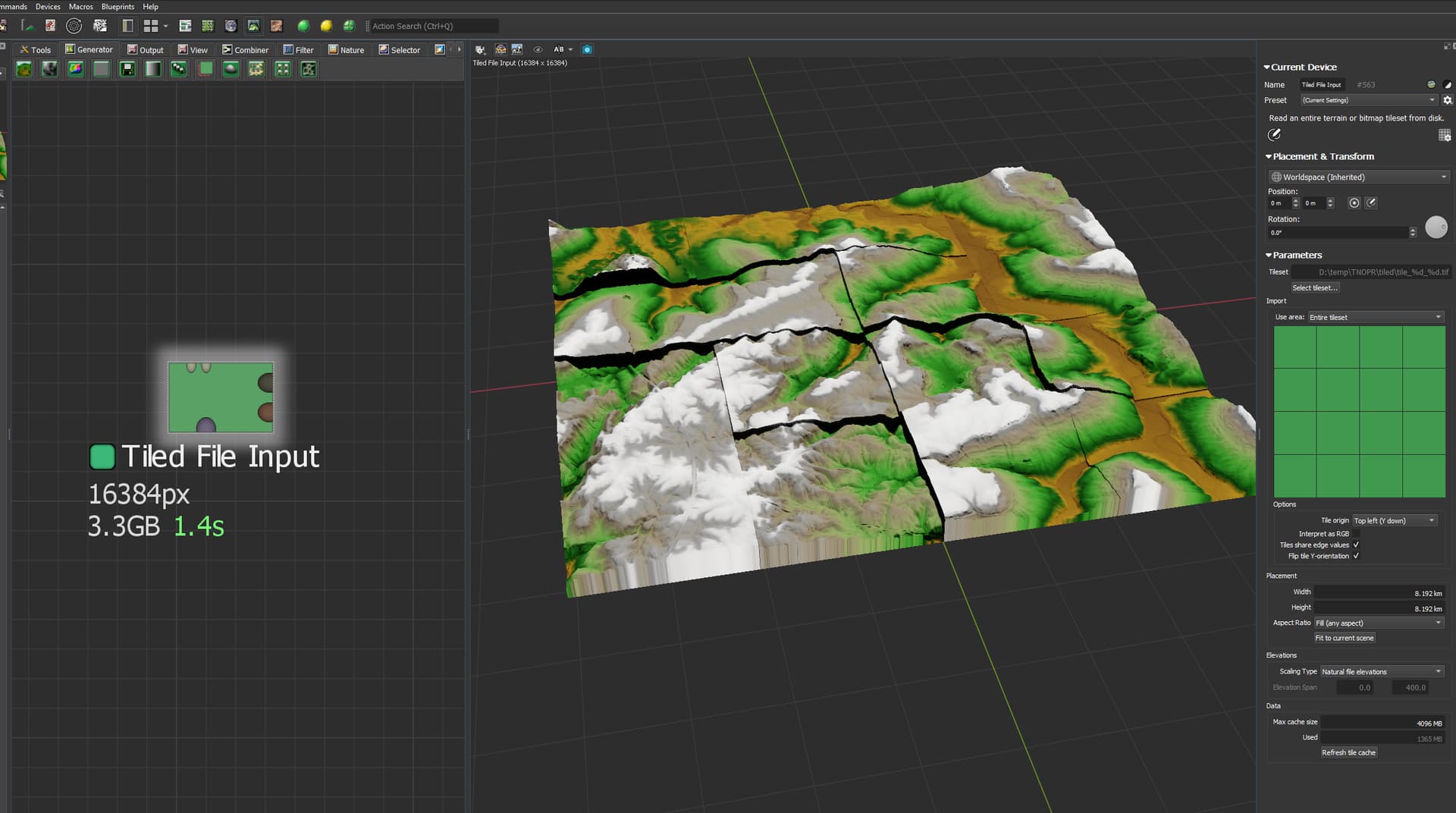
Anytime I use a Tiled File Input, it seems to min/max every tile.
Correct me if I’m wrong, but this isn’t intended, right?
Anytime I use a Tiled File Input, it seems to min/max every tile.
Correct me if I’m wrong, but this isn’t intended, right?
@ownthebanks Have you tried unchecking “Flip y orientation” yet? Tile order looks off. If that doesn’t work, maybe try changing the “Tile origin” setting.
also looks like just using of erosion or etc with tiled build
those hard edges is not just max/min of height
they just generally not feet each other as i see
try use “blend” function in tiled build 
Thanks for the reply! Yes I’ve tried both, but the tiles are in the correct place. The issue seems to be that each tile is normalizing to the min and max elevation of the project. The device is set to natural file elevations, but you would think by default it would take the values of the tiles. I’ve checked them in QGIS.
For example the project is 0-2025 elevation. This entire tileset ranges from 792-1845, but each tile is has its own elevation min max. Sorry if I’m rambling.
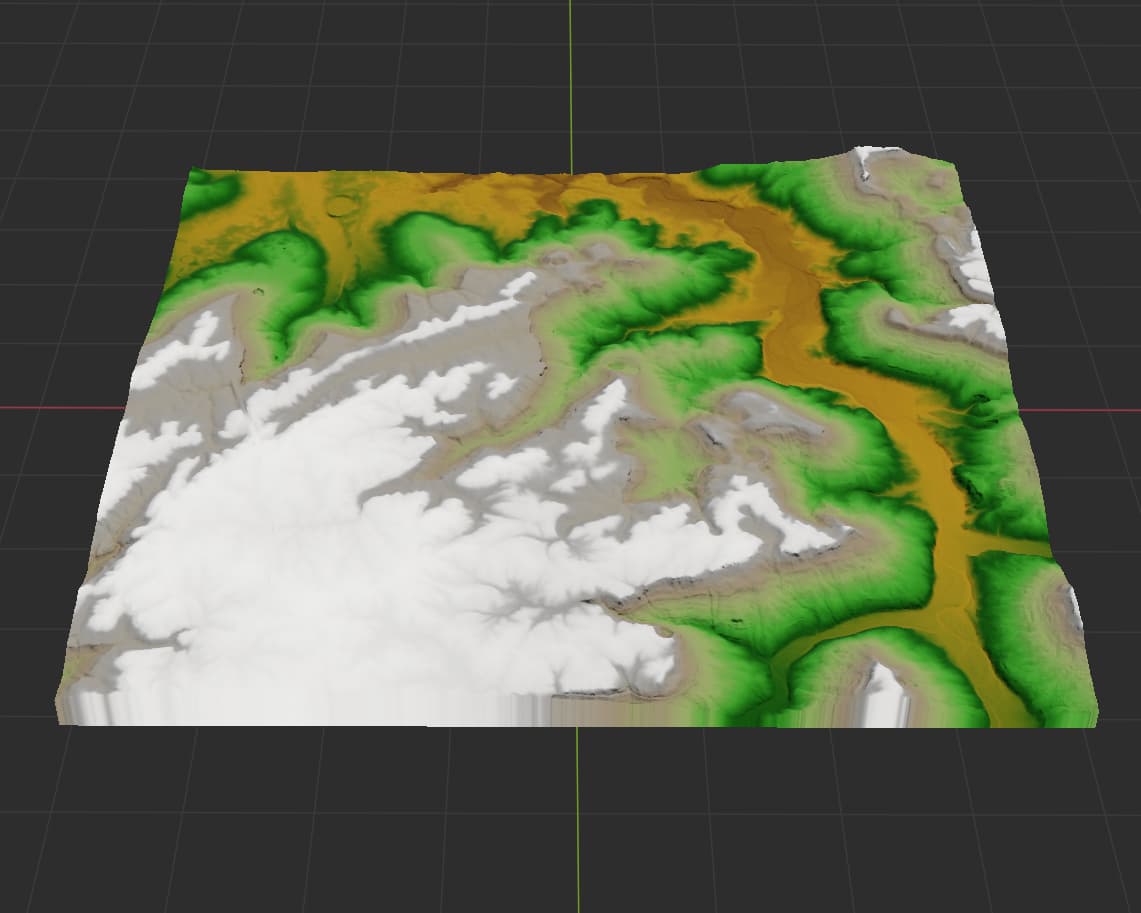
This is somewhat what it should look like.
They should definitely not be getting normalized, if that is what is happening here.
What WM build is this occuring within?

Sorry for the delayed response
Just a followup here as I’m working on any tiling issues at the moment. I cannot replicate this issue - I wonder if it is not an import issue but an export one - where the tiles are getting normalized by something (such as a Clamp or Equalizer not in capture mode)
This topic was automatically closed 90 days after the last reply. New replies are no longer allowed.