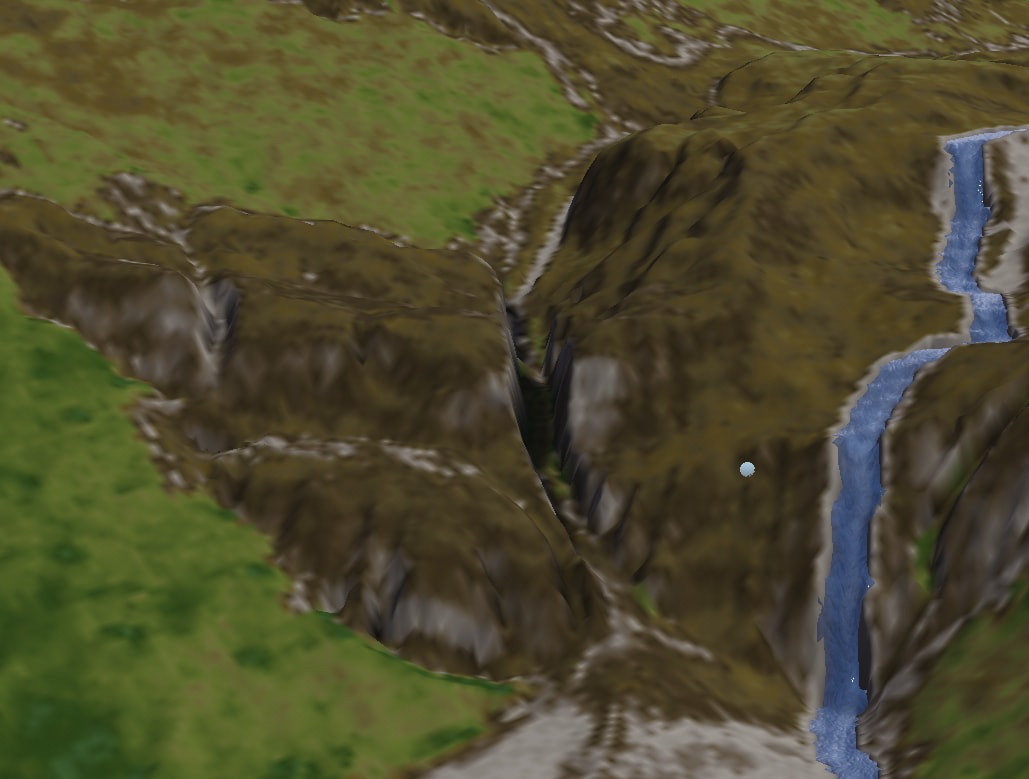
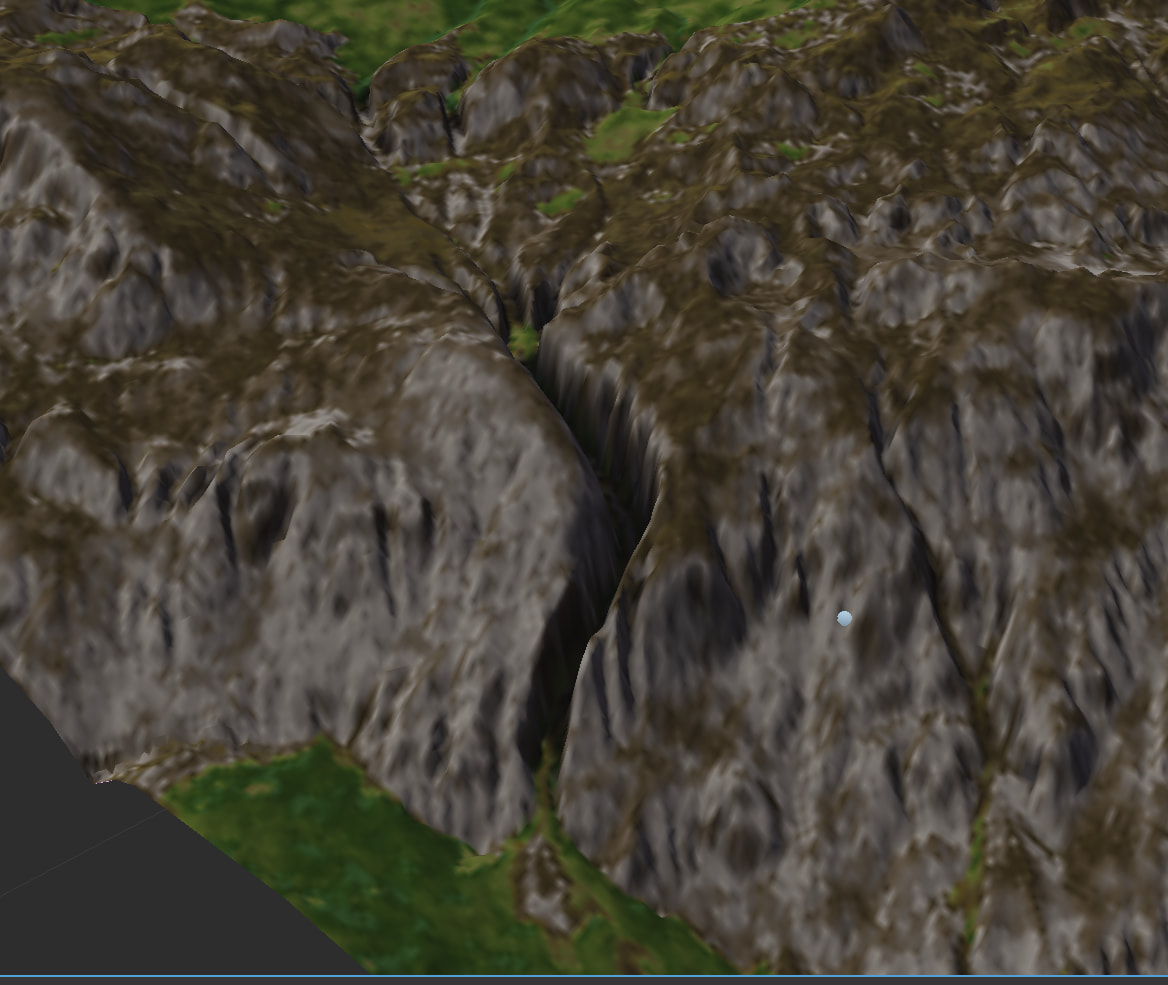
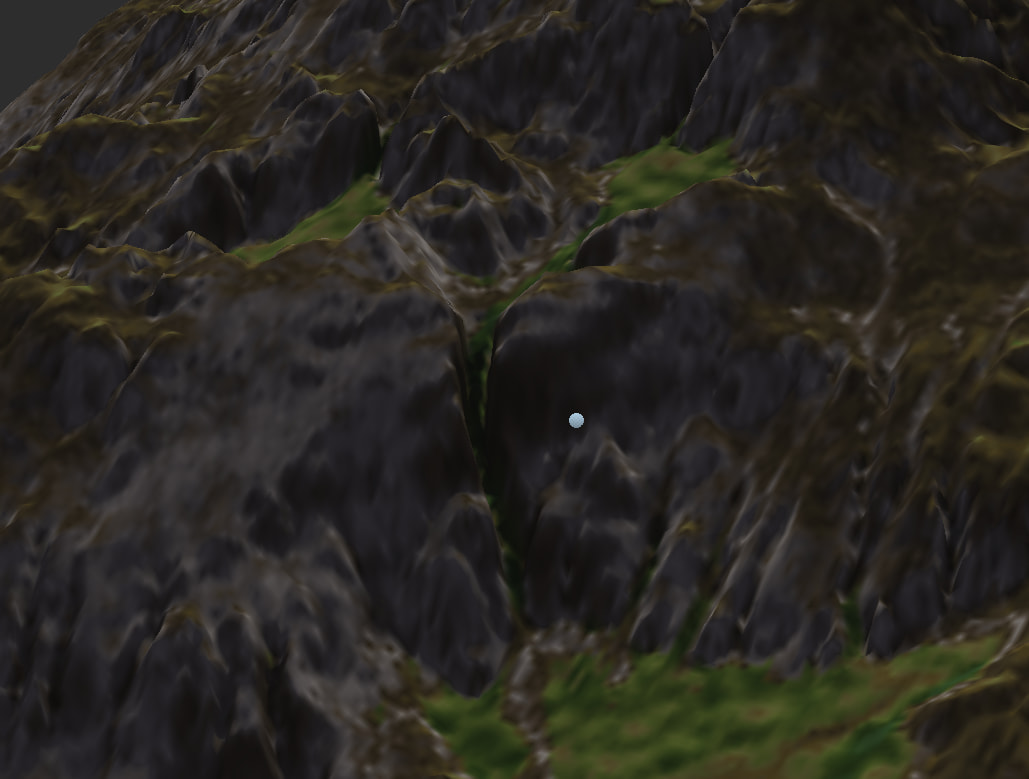
How can I create deep channels like these which don’t cut the entire terrain but only through areas which are “in the way” of natural erosion flow, flattening out before and after?
These examples are all from @WFab Alpine River Valley Macro:
How can I create deep channels like these which don’t cut the entire terrain but only through areas which are “in the way” of natural erosion flow, flattening out before and after?
These examples are all from @WFab Alpine River Valley Macro:
@enveeed I created that macro. Those deeper gorges are not erosion channels. I distorted the advanced perlin heavily using distortion input, then erosion just naturally flowed into those distorted areas. The flow goes “Distorted advanced perlin > flow restructure > create water > erosion > Thermal weathering”
Nowadays most of those devices have changed drastically, so I’m not sure if that method would work well now. You can try though.
The Flow restructure involved might be the prior one that could downcut ridges. That behavior is coming back in the next version, but I wanted to specfically point out that you can right-click on the device and choose the prior version to be able to do downcutting - the price is that its much slower for large worlds.
Glad to hear, I was missing this 
Another method to (maybe) achieve this, is doing some parallel processing. The following is just my idea, I haven’t had the time to test it.
Do a simple erosion pass of your terrain, with a relatively high bedrock setting. Don’t use the terrain output of this erosion, we’re gonna use just the masks. Use either the Flow Mask or the Wear Mask, and maybe even combine them with a multiply method. Do some processing with a Bias/Gain filter to emphasise the “wear paths”. You want it to be very contrasty, with little grey (in between) values. These paths will now be the guide for the “real erosion”.
So, add a second erosion device, and now we are going to use the processed mask of the “parallel” or “phantom” erosion as a driver for bedrock strength (you will need to invert the mask). Set the (now spatial) parameter for bedrock strength from 0 - 1 (or almost 1), and I think this should give the desired effect? Again, I have not tested this (and I do have some other methods in mind) so please let me know if this works.
Sadly, this does not yield the results you’d want… The only method I can (atm) think of, is not procedural, and requires placement of manual masks to select areas of “deep” cutting and such, sorry!