Okay, with the added information, I think an important question to ask is what the intended use for this terrain is. Depending on where you’re planning on taking this terrain after World Machine, you may get better results from handling the water itself in the next software package.
With that in mind, if you absolutely must handle this water surface in World Machine, and you cannot use the River device itself to carve the full channels with floodplains, we can do some workarounds, though it’s going to get very finicky very quickly. The method I’m about to outline will result in water clipping through the terrain, which shouldn’t mess with anything visually, but can definitely make for some very weird data.
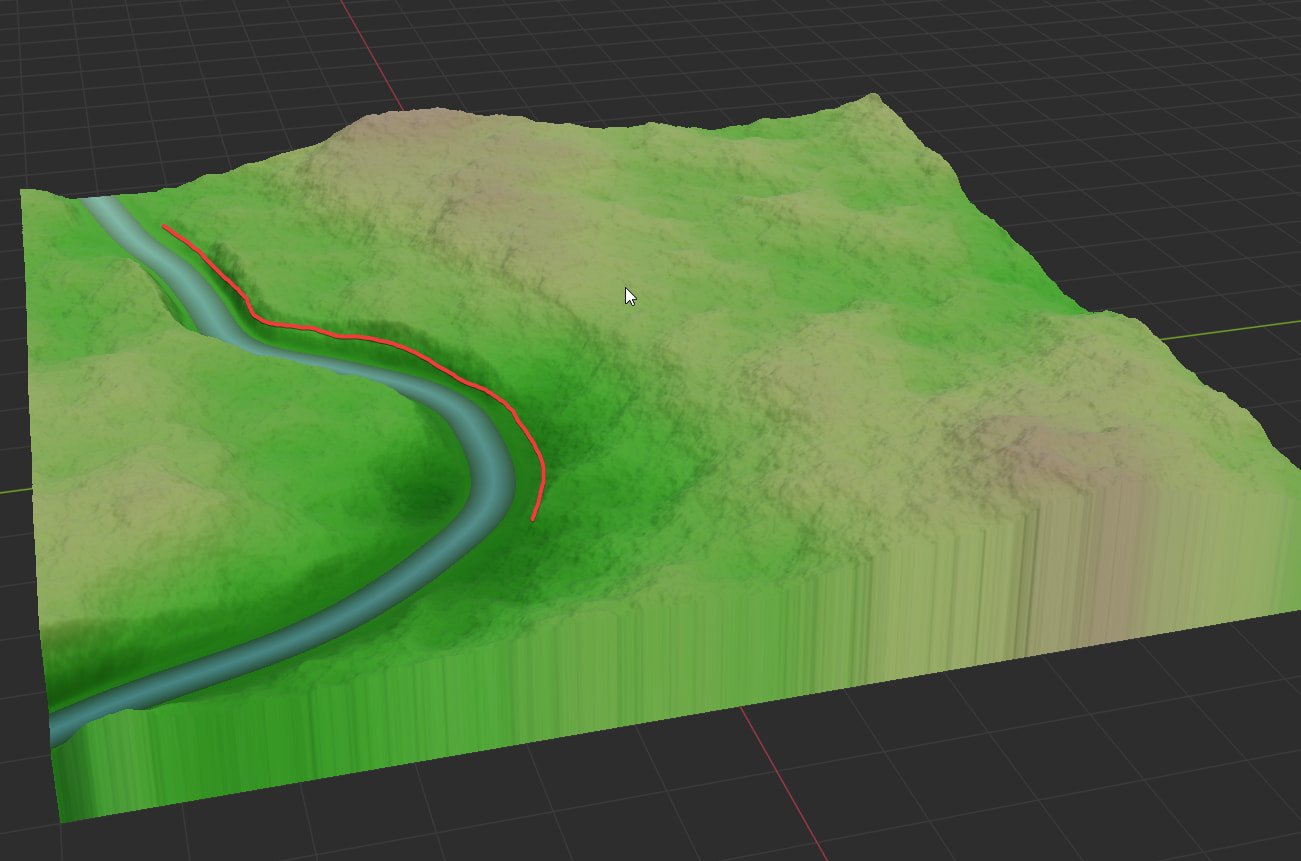
Let’s say I have this terrain and river, and want to raise the water level to the red line
Image
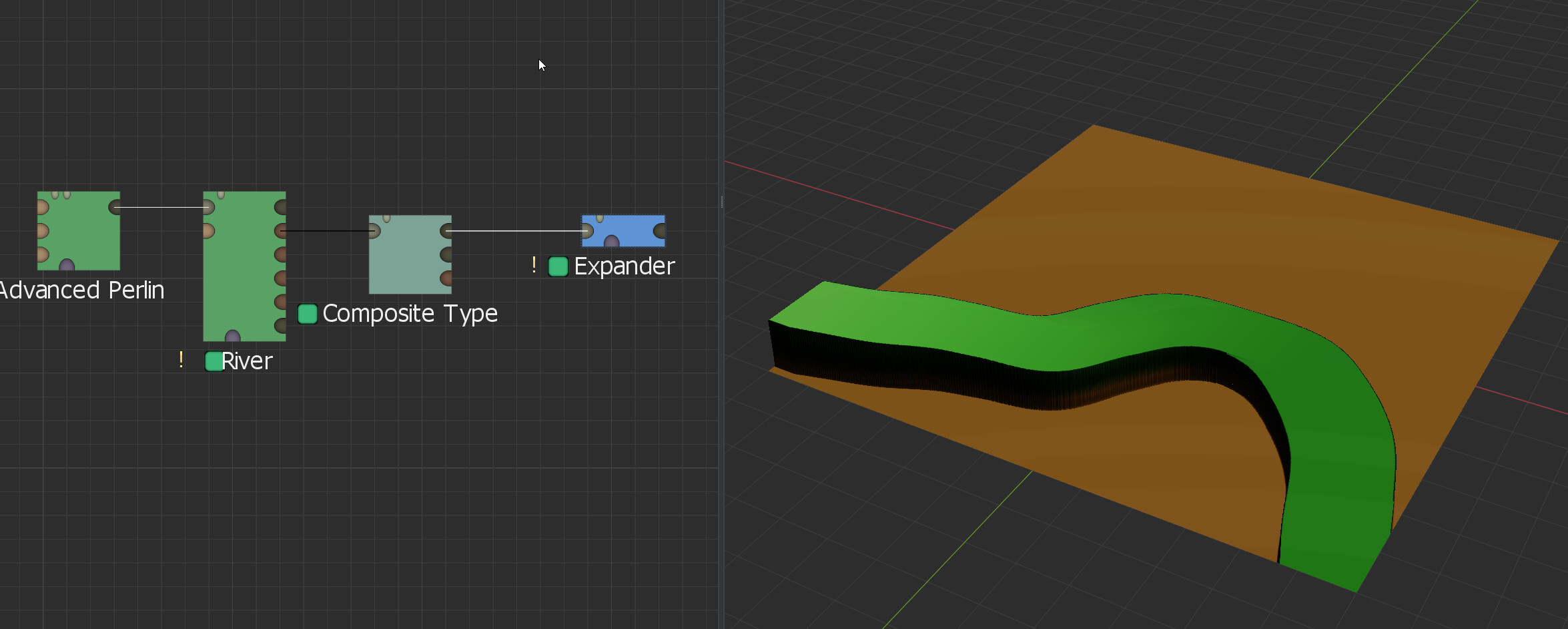
What I would do is take that river, pipe the Water output into a Composite Type device. From there, I would pipe the Water Surface output:
Image
into an Expander device set to Expand (Max) with the Square (Hard Edged) filter type, I would use that expander to widen the river surface to make sure that it filled the extra horizontal space created by raising it.
Image
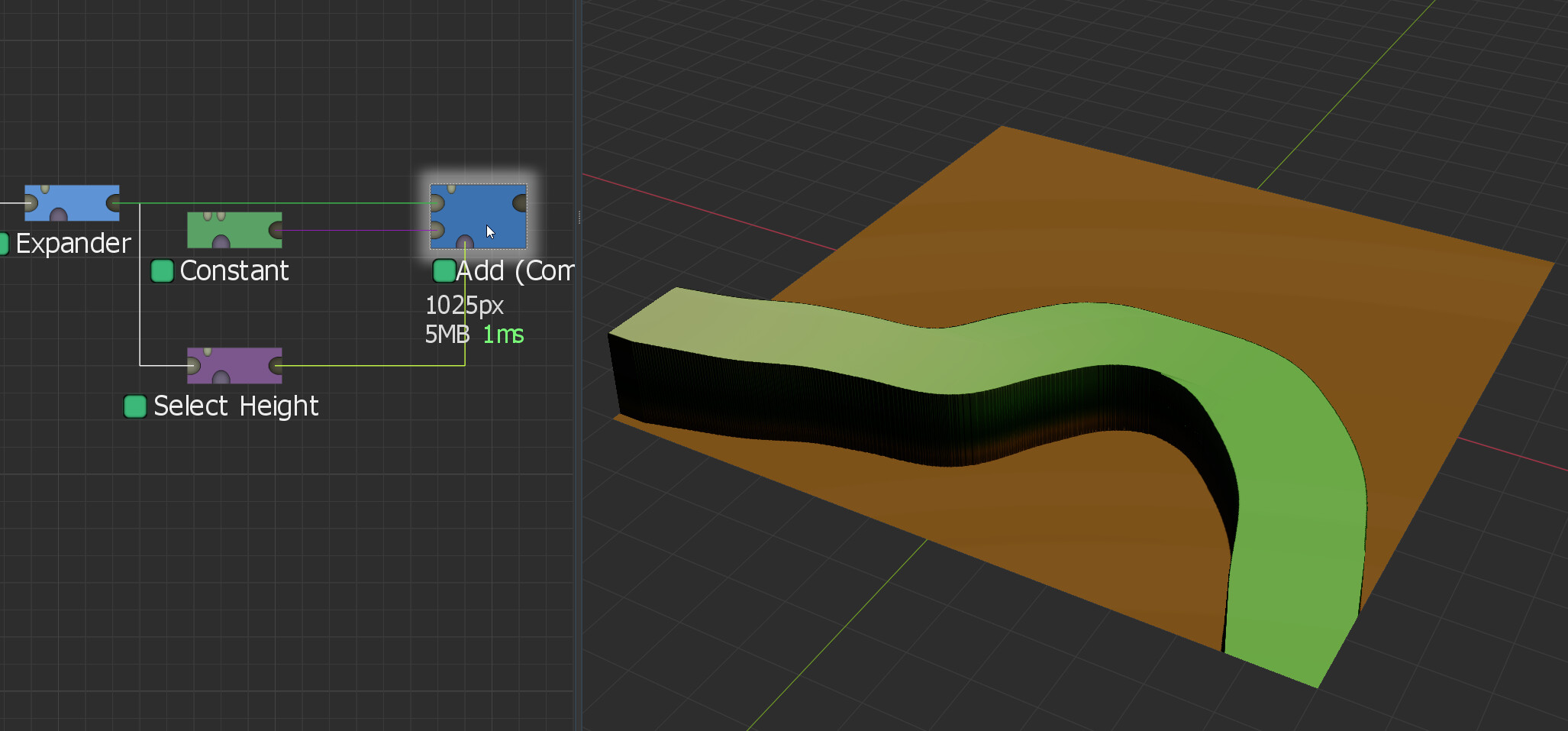
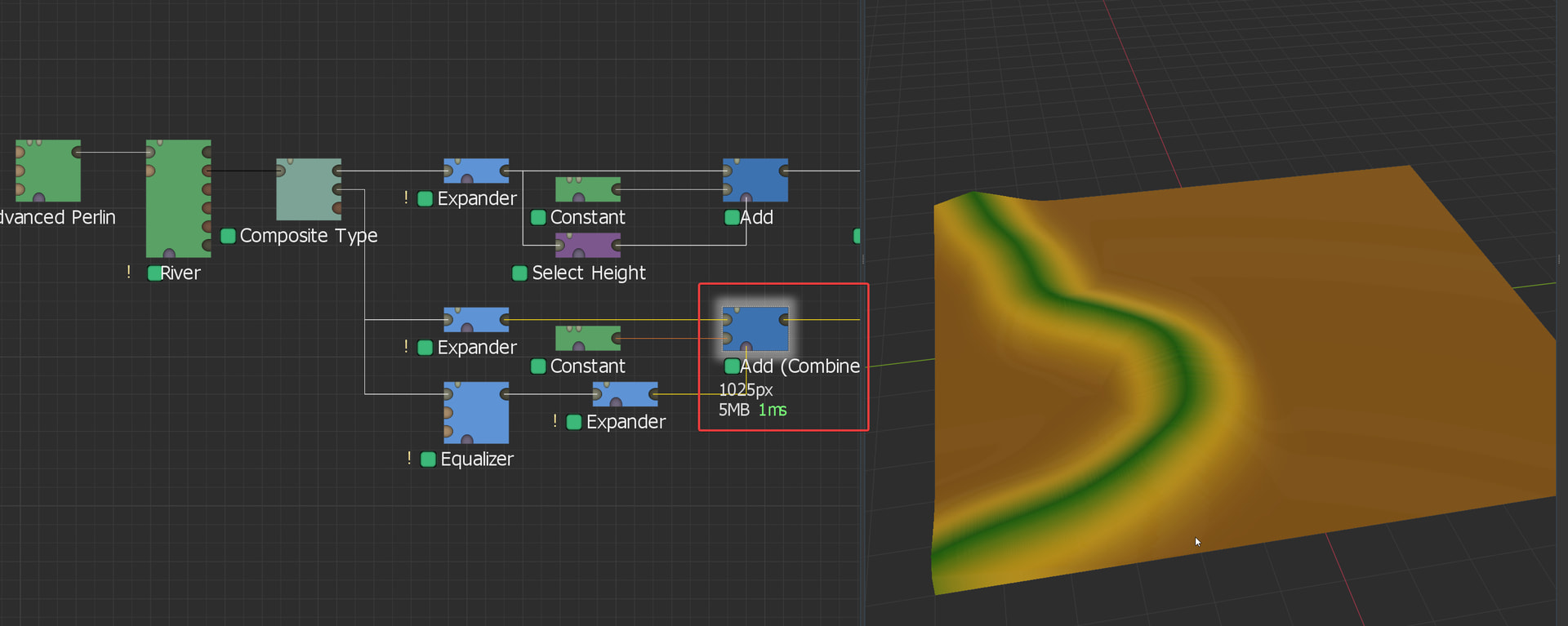
From there, we now need to actually raise that surface up, but it has to go up relatively evenly. There’s probably a better way to do this, but my thought process is that most of the “normal” devices to achieve this could alter the angle of the gradient from the high point to the low point. So what I do is just add a specified constant value. To do this, drop in a Constant generator and a Select Height device. The Expander output would go into the Select Height where you’d set the minimum height to 1m and the maximum as high as it will go, dropping the falloff to 0. This gets you a mask of just the river surface area. You’ll then pipe the Expander output and the Constant device into a Combiner set to Add and the strength all the way up. The Select Height should be piped into the mask input of the Combiner. From there, you can adjust the height of the river surface by changing the height of the Constant device.
Image (Final surface height estimated, this is easier to tweak at the end)
From here, we basically just need to repeat that process but with the depth output of the Composite Type device. This one will likely need a lot finer of a touch than the water surface did, but it’s the same basic concept. You’ll see in the screenshot that I went with an Equalizer device into an Expander to get the mask. This is because I wanted to preserve the original shape of the riverbed. If that’s not important to you, you can use the exact same chain as you did for the water surface.
Image
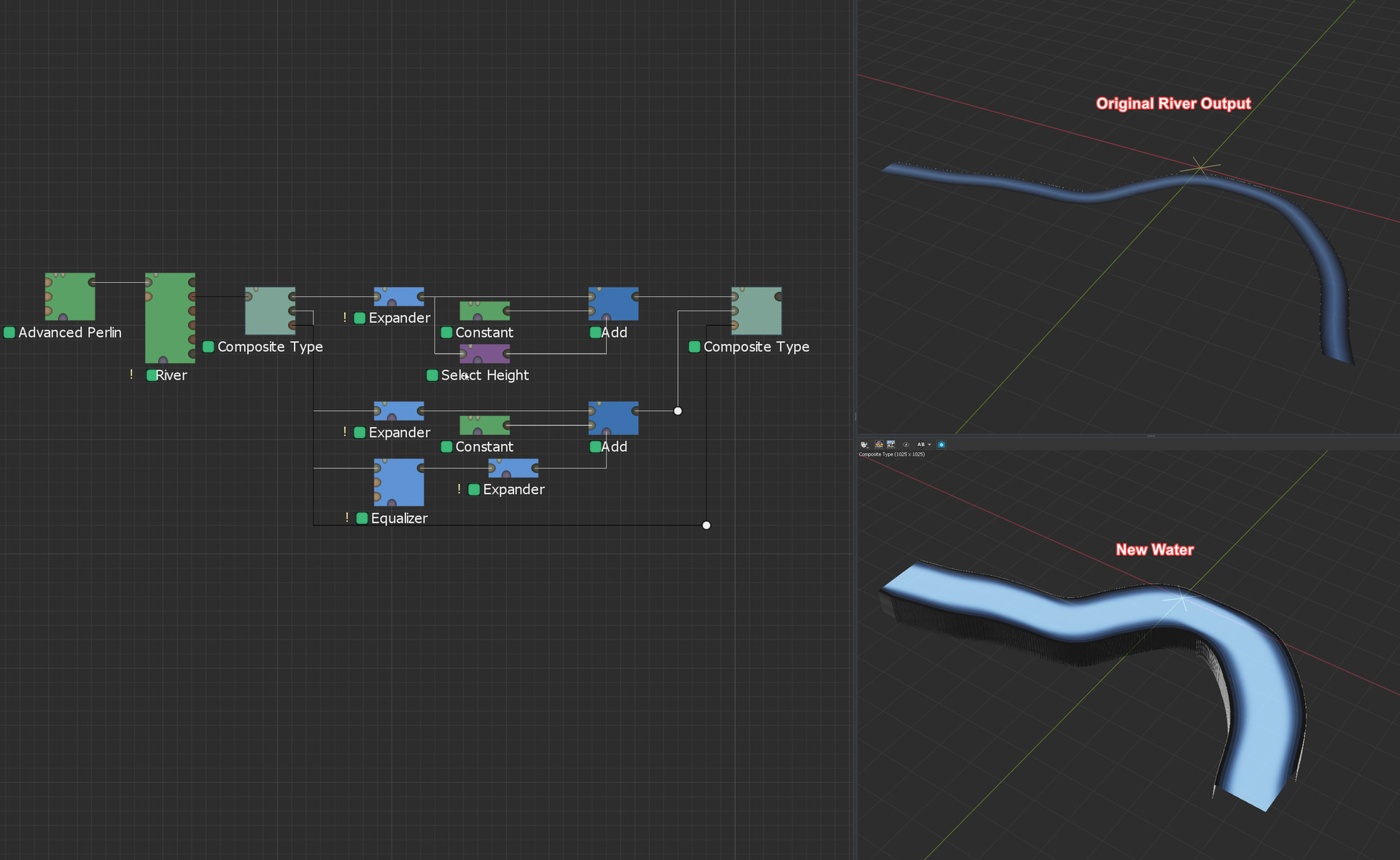
Now, if you’re just visually trying to raise the water level, you’re done! If you need the vector field to be updated so that your flow direction is accurate across the river, you’ll need to adjust that output as well, but that one is even more finicky than the depth is, so I’m leaving it out of this. Assuming you have all your outputs adjusted accordingly, you drop a new Composite Type device, set the type to Water, and set it to “Pack to Composite Type” for Pack/Unpack. From there, you’ll pipe in your new water surface and depth heightfields, as well as your vector field (if you’re not editing that, you can just pipe that straight across from the original Composite Type device, though I’ve added routing points here to make it easier to read visually), and you’ll have a new Water system ready to go!
Image
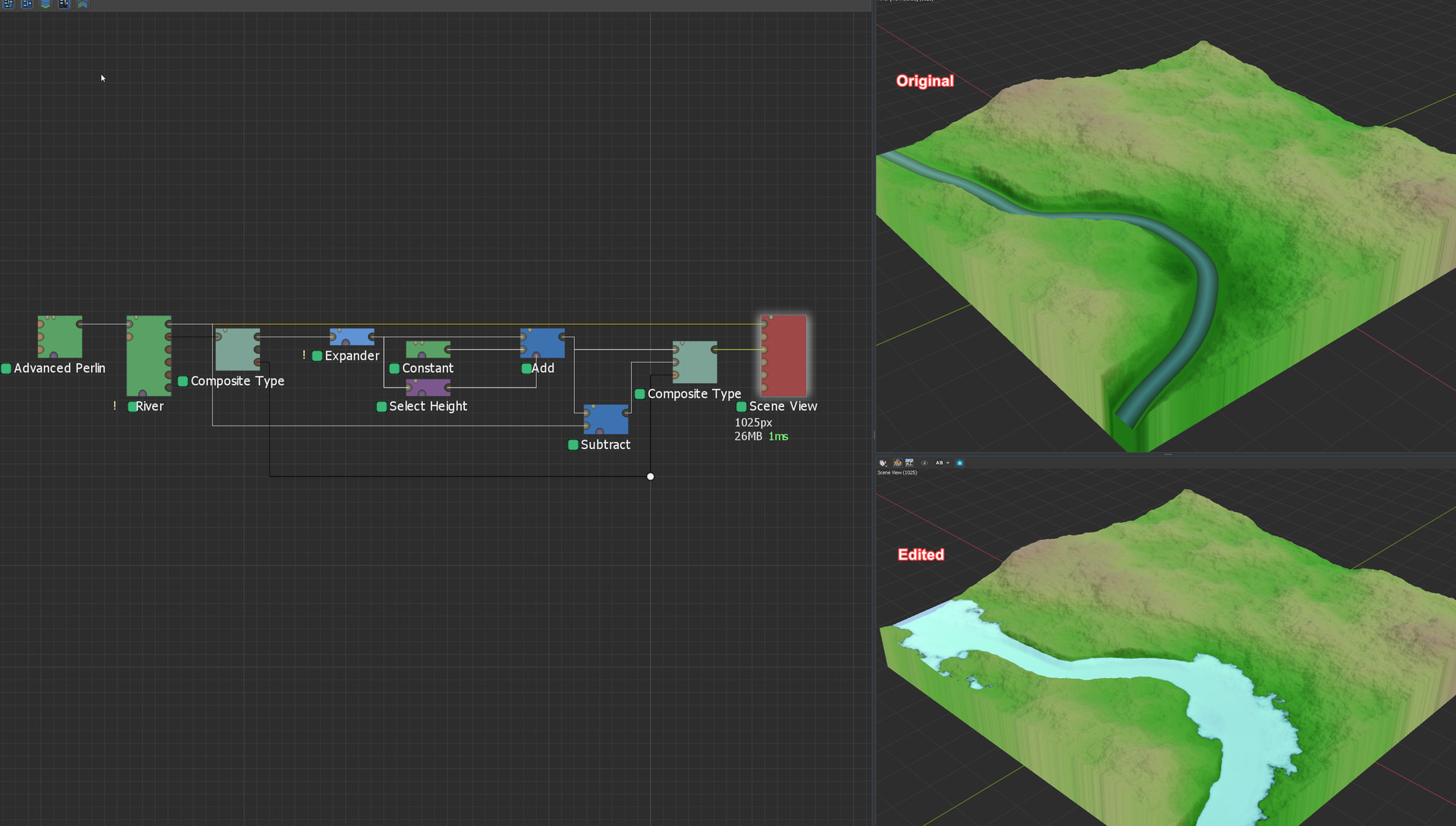
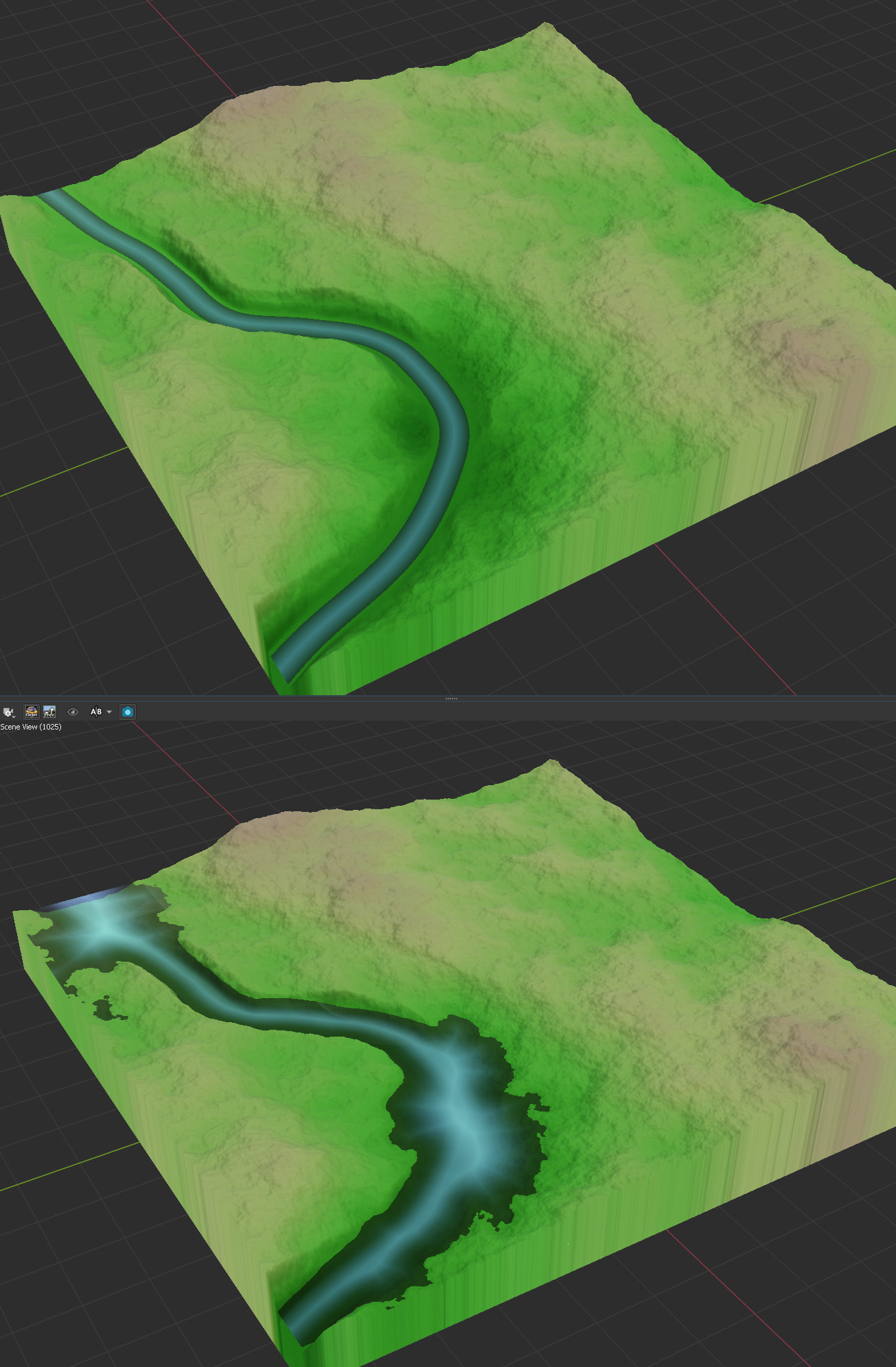
From here, I would pipe this water output into a Scene View device along with the terrain output by the original River device, and start tweaking values until the water was how I wanted it to be. You’ll notice in the screenshot below I heavily simplified the depth portion of the water. I was having trouble getting it to be accurate, so I simply took the new water surface heightfield, piped that into a Combiner set to Subtract, and piped in the terrain from the original River device as the second input, giving me basically a perfect representation of the water depth with the new height (although this does result in the water system looking more like standing water, like a lake or something, than a river system). You’ll also notice several small lakes/ponds appear, that’s because I had to extend the water pretty wide out to fill the channel at some points, not likely to be something you run into with your intentional channels and everything, but if you do, pretty easy to snip out with a Shapes device.
Image
There’s probably a million easier ways to do this, but this is the workflow I’ve used every time I needed to use the River device to create channels and everything, but wasn’t happy with the resulting water system. Hopefully this is helpful, or at least puts you on track to figure something out that works for you! Like I said earlier though, if this is going into something like a game engine or Houdini or something, it might be far easier to just use World Machine to make the terrain shape and let the next software handle the water system.