How can I select valleys so vehicles knows where to drive?
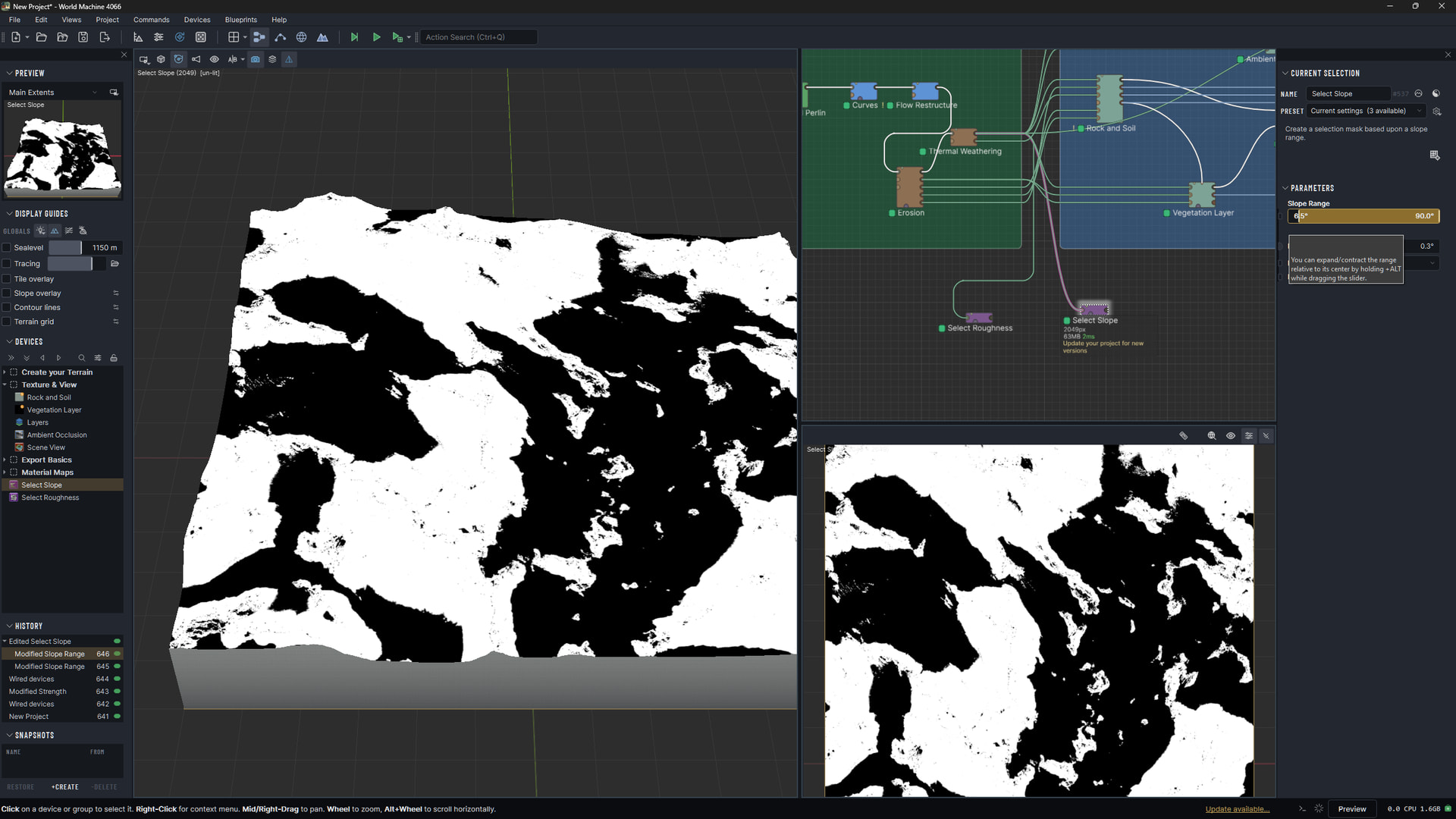
Select with slope is not so good for this.
The Black areas are WAY to big in some areas and Tiny on other areas.
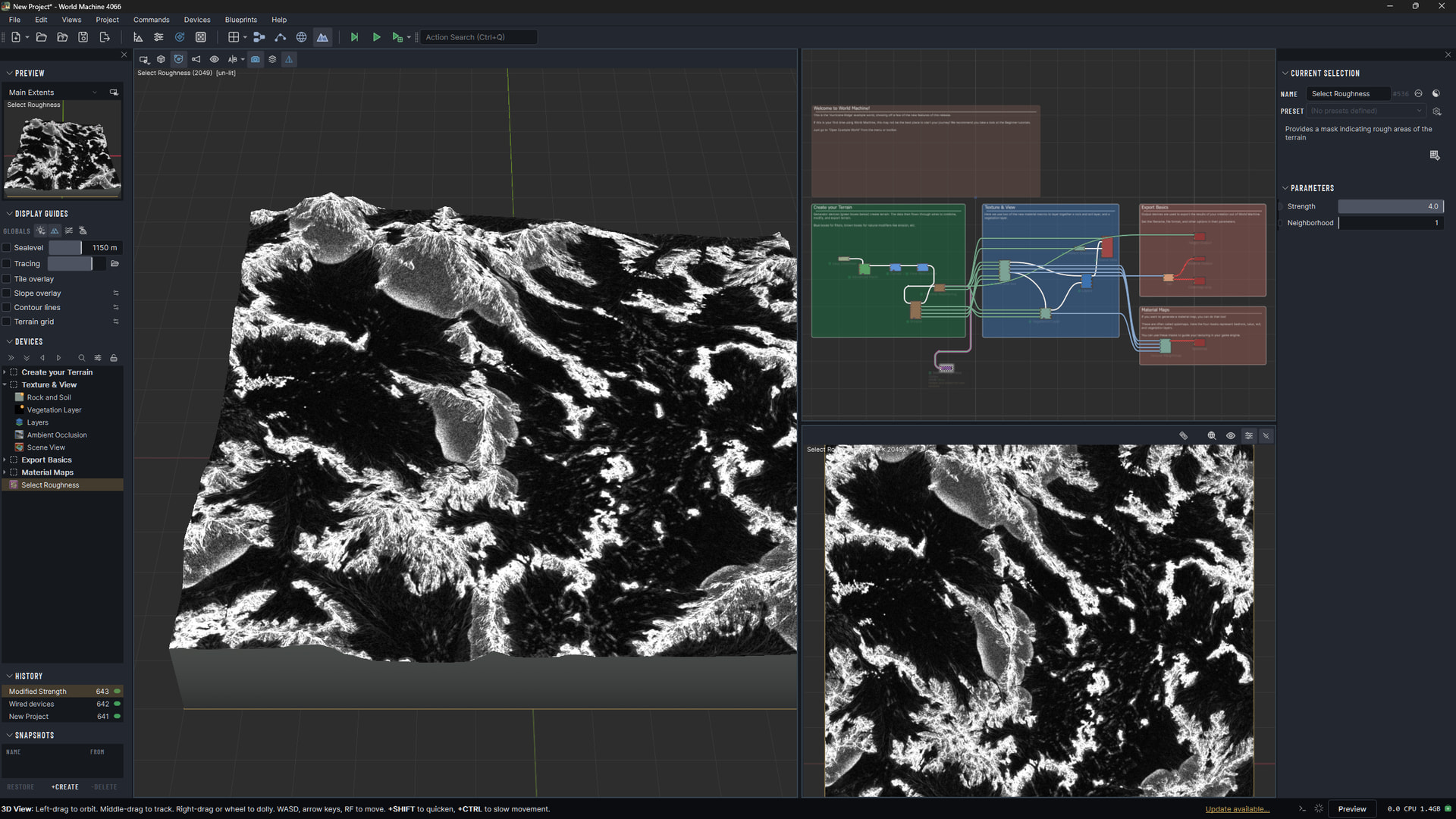
Select Roughness is kinda cool also but…
How can I select valleys so vehicles knows where to drive?
Select with slope is not so good for this.
The Black areas are WAY to big in some areas and Tiny on other areas.
Select Roughness is kinda cool also but…
I do think Select Slope is probably the best choice for this; selecting up to whatever degree slope you think is reasonable (20-ish?)
One thing I might suggest is to blur the input to the slope selector by the approximate size of your vehicle - which will simplify the mask and prevent small speckles of go/no go regions that you wouldn’t want from appearing.
Another idea worth trying - use the Local Heights macro to produce a map that has the large-scale height variations removed, then use a Select Height device to select the lower part of that map (which will select valley bottoms). This might be more of what you’re looking for if you didn’t like the slope map.
Thank you ! I will see what I can come up with. I am also trying flowmask…Not easy task. It is a balance act.
IMHO if you want to get clean masks for any real world use, it’s a creative problem rather than a simple “what node to use”. My masks are almost always a mix of multiple selector, and combiners mathing the sh** out of them.
So for your problem @Hotshot -
You want to select the flattest, smoothest parts of your solid landmass. So start with slope selector to select your tight slope range, then start subtracting stuff where vehicles can’t drive. For example, water bodies, erosion gullies and sediments, talus, rocky outcrops. “Wetness”, “Soil mask”, “Talus mask”, “Roughness” and inverse of “AO” definitely needs to be subtracted. Rest you can do by the eye once you get the hang of this workflow.
Thank you.
Yes I was leaning to this also. Maybe Layer can be used … Time will tell
The layered approach described makes sense to me — starting with a slope selector and then subtracting what vehicles can’t cross feels like a solid foundation rather than hunting for one magic node. I’m curious how much trial and error goes into tuning those subtraction masks, especially roughness and the inverted AO, before the result stops looking noisy. Combining selectors with math seems inevitable once the terrain has any variety. Do you find it easier to build and test each mask separately first, then combine, or to chain them in one pass and adjust as you go?
Hi .
I have still not find any good solution for this. But at least I have rule out that there is no quick fix.
Sometimes it is better to ask if there is faster and better way to do things. Things that you might have overlooked.
I am also fighting the game engine that is automaticly calculating the path by using fixed slope angels. In my case the engine uses one black/white map for hills and one black/white map for slopes. So I only need to add white than the engine knows where to to drive.
I am also considering using Photoshop to paint it myself.
Testing mask is a chapter by itself. For me it open up one other question. Can I build an custom made export nod in LUA?. The answer is NO. That trigged me to desing a converting web app.
So tryingout a mask is alot of import/Export/import work atm
@lucasthomas I find it easier when the skeleton base is ready, the adjustments can go on forever. Once my base setup is ready, it’s easier to visualise, test contributions of individual masks with all of the visual aids at my service. All my projects end up this way, set up everything in one pass, then keep tuning, adding and subtracting stuff till you get the feel you’re going for. Some of my WIP threads on this forum have my iterative approach on display. Here’s one of them.